AI Twerk Generator: When a Single Photo Starts Moving—and You Start Noticing What “Realistic” Actually Means
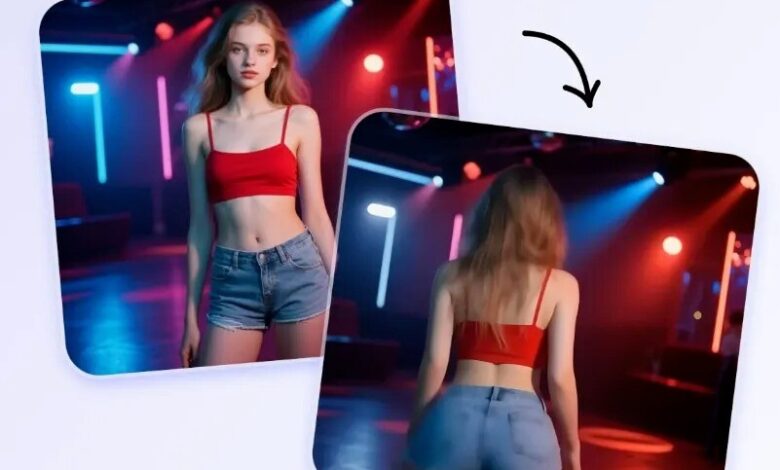
I didn’t land on twerking animation because I was chasing a trend. I landed there because, at some point, everyone ends up needing a simple way to turn a still image into something that moves—for a meme, a birthday surprise, a reaction clip, or a playful social post that doesn’t require filming, editing, or choreography. That’s the problem. The frustration is how quickly most tools fall apart: prompts that feel like guesswork, motion that looks like a paper cutout, or exports that come with watermarks and awkward cropping.
What surprised me, after exploring the workflow behind SuperMaker’s AI Twerk Generator, is how deliberately it removes the parts that usually create friction: no prompt gymnastics, one photo in, and a short clip out that you can preview and download. In my own quick tests with similar “photo-to-motion” tools, the first generation is rarely perfect—but when the setup is this straightforward, iterating feels practical instead of exhausting.

The Core Idea: Photo-to-Dance Without Prompt Gymnastics
At a functional level, this is a photo-to-dance pipeline: you upload a clear full-body photo, the system detects posture and body structure, then transfers a twerk-style motion pattern onto your subject and renders it into a short video.
What stands out is the “no prompts needed” choice. Rather than asking you to describe choreography in words, it assumes the dance direction and focuses on making the motion look coherent on your image. That design isn’t about removing creativity—it’s about reducing friction for people who want results quickly, without learning a new prompting language.
How It Works in Practice (The User Flow You Actually Follow)
Step 1: Upload a full-body photo
A clear, well-lit, full-body image tends to produce more stable motion because the model has enough context for proportions, stance, and limb placement. If the subject is heavily cropped or covered by bags/coats, you may see wobble or strange “edge behavior” around clothing.
Step 2: Choose output settings (simple, but not trivial)
Even without advanced controls, a few settings meaningfully shape what you get:
- Video length (often shown as 3–12 seconds): Longer clips can reveal more artifacts, especially around hands, hair, and loose clothing.
- Resolution (480p / 720p / 1080p): Higher resolution can look cleaner, but it may also make small distortions more noticeable.
- Frame rate (16 FPS / 24 FPS): In my experience, higher FPS can feel smoother, while lower FPS sometimes hides micro-jitter by making motion “snappier.”
Step 3: Preview, then export
A preview-first flow is underrated. It makes it easy to judge whether you need to regenerate with a better input photo (often the fastest improvement) or adjust output settings before you commit to sharing.
The “Realism” Question: What You Should Assume vs. What You Should Expect
With AI dance generators, “realistic” rarely means “indistinguishable from real footage.” It usually means:
- The motion stays stable rather than melting into noise.
- The body doesn’t snap unnaturally between frames.
- The face and outfit don’t drift too far from the original image.
When a result looks good, it’s because your input photo aligns with the model’s learned motion patterns. When it looks off, it’s typically not because you “did something wrong,” but because you’ve hit the current boundary of video synthesis robustness. I’ve found that treating the first output as a draft—rather than a final—leads to far better outcomes and less disappointment.
Comparison Table: Where AI Twerk Generator Fits Among Common Alternatives
| Comparison Item | AI Video Generator Agent | Template/Filter Dance Effects (typical) | Prompt-Driven Image-to-Video Models (typical) |
| Input effort | One photo; minimal setup | One photo/video; minimal setup | Often prompts + iterative wording |
| Control surface | Basic output settings | Very limited | High control, higher complexity |
| Workflow speed | Fast, preview-first | Fast, but rigid | Slower, iteration-heavy |
| “Look” consistency | Often more coherent than simple filters | Frequently “obviously filtered” | Can be strong, but prompt-sensitive |
| Best use case | Quick social clip, meme, lightweight creative test | Casual jokes, one-tap effects | Storytelling, cinematic experiments |
| Typical downside | Results depend heavily on photo quality; may need retries | Limited variety; repetitive look | Time cost, trial-and-error burden |

Before vs. After: What Changes When You Remove Prompts
Before: You spend time describing movement with words—then rewriting those words when the model misunderstands your intent.
After: The system assumes the dance template, and your job becomes choosing an image that the motion can “attach” to cleanly.
This shift doesn’t eliminate creativity—it relocates it. Instead of writing choreography, you curate inputs: pose, outfit silhouette, lighting, and framing. It’s closer to directing a shoot than typing a spell.
Tips That Actually Improve Outcomes (Without Pretending It’s Magic)
Use the photo like input data, not like a selfie
- Favor full-body visibility and clean edges.
- Avoid heavy motion blur, low light, and extreme shadows.
- Minimize occlusion (bags, long coats, crowded backgrounds).
Expect a couple generations if you’re picky
In my tests across AI video tools, the best result is rarely the first. Small issues—like limb jitter or outfit warping—often appear in one generation and disappear in the next. If the workflow is easy, rerolling becomes part of the process rather than a failure.
Limitations That Make the Experience More Trustworthy
1) Input quality sets the ceiling
A blurry, cropped, or awkwardly posed image can’t reliably produce stable dance motion. Your starting photo is not just a “reference”—it’s the structural scaffold the animation tries to respect.
2) Motion realism is contextual
A clip can look impressive on a phone screen and still show artifacts on a large monitor. If your end goal is social posting, the quality threshold is often easier to meet. If your end goal is high-scrutiny production, you’ll likely need a more controlled pipeline.
3) Some cases just need retries
Hair, hands, reflective clothing, and complex textures remain common stress points for generative motion. If you see instability there, treat it as a normal edge case—regenerate, swap the photo, or shorten the clip.
A More Useful Evaluation Question
Instead of asking, “Is it perfectly realistic?” I’ve found this question is more practical:
“Does it turn my still image into shareable motion with less friction than my alternatives?”
If what you want is a quick, approachable way to animate a photo into a twerk-style dance clip—without prompts, without editing software, and with a workflow that encourages iteration—SuperMaker’s AI Twerk Generator sits in a sweet spot: low setup cost, fast previews, and outputs that can be good enough to share when the input photo is chosen well.