The Role Of CAD In Reducing Prototyping Costs
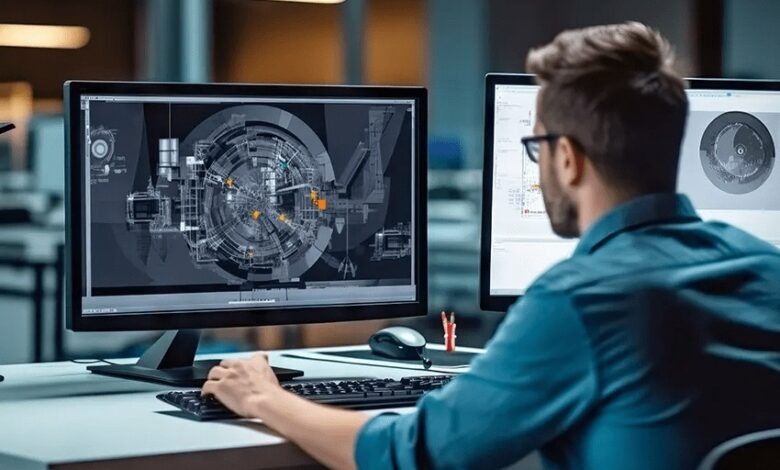
Prototyping is essential in product development, but it is also one of the quickest ways to burn through budget. Physical prototypes need materials, labour, shipping, and often specialist processes such as machining, 3D printing, casting, or soft tooling. If the first prototype reveals fundamental issues, the next prototype is not an upgrade, it is a restart. This is where CAD, Computer Aided Design, has a direct impact on cost. CAD allows teams to explore, test and refine designs digitally, so that physical prototypes are used to confirm the right things, rather than to discover avoidable problems.
Why Physical Prototyping Gets Expensive Quickly
It is rarely the first prototype that causes the problem. It is the second, third and fourth. Each iteration adds cost in multiple places at once. There is the build cost itself, but also the time cost of waiting for parts, the project management overhead, and the opportunity cost of delaying fundraising, pre orders, or manufacturing slots.
Costs rise further when prototypes require external suppliers. A simple change to a part may mean a new quote, a new lead time, and a new minimum order quantity. If you are testing a product with several interacting components, small dimensional changes can ripple into other parts, forcing multiple updates at once.
In early stage product work, many of these iterations happen because the design was not fully resolved before it went physical. CAD design companies help resolve more of the unknowns while the design is still fluid.
How CAD Moves Iteration Into The Digital Phase
CAD is not just a drawing tool. It is a way to create a precise digital definition of a product, including its geometry, critical dimensions, interfaces and assemblies. When a team has a robust CAD model, they can explore options and make decisions without paying for each decision physically.
Instead of building a prototype to see if parts will fit, CAD can confirm fit digitally. Instead of printing multiple versions to test clearances, CAD can model those clearances and highlight where interference will occur. Instead of machining a component to check an assembly sequence, CAD can simulate the assembly and show where access is blocked or fasteners are difficult to reach.
Digital iteration is faster, cheaper and less disruptive. It also allows broader exploration, because teams can test more options without multiplying physical cost.
Reducing Rebuilds By Catching Problems Early
A major driver of prototyping cost is discovering problems after a build has been made. CAD can reduce this by surfacing issues earlier, especially in assemblies.
Interference checks can reveal where parts clash during movement or installation. Tolerance analysis can highlight where a design is too tight to be reliable in production. Basic motion studies can show whether a hinge line works, whether a mechanism binds, or whether a component needs a different travel path.
Even without advanced simulation, a well built CAD assembly can identify common issues such as misaligned datum points, inconsistent wall thickness, collisions between parts, or the need for extra space for wiring, clips or seals. Each problem found digitally is money saved on a prototype that would otherwise fail.
Using CAD To Make Prototypes More Purposeful
CAD does not eliminate physical prototypes. It changes what physical prototypes are for.
When the digital model is mature, a prototype can be built to validate specific questions. For example, does the grip feel right, is the weight distribution comfortable, does the product fit a user’s hand, does the mechanism feel smooth, does the material choice look premium, does the product survive a drop test. These are the questions that usually require physical confirmation.
Without CAD, teams often use prototypes to answer more basic questions such as whether parts align, whether the assembly is possible, or whether the product can even be manufactured. Those basic questions should be resolved digitally first wherever possible, because they are expensive to discover physically.
Reducing Material Waste And Tooling Costs
CAD also reduces cost by limiting wasted materials and premature tooling.
If a product is still evolving, spending money on soft tooling, moulds, jigs or fixtures too early can be a costly mistake. CAD enables teams to keep designs flexible while still making progress. When the design is closer to final, investing in tooling becomes safer.
Even within prototyping, CAD can optimise material use. Designers can reduce unnecessary volume, refine wall thickness, and simplify geometry so that printed or machined prototypes use less material and less machine time. For cost sensitive projects, these optimisations matter, especially across multiple iterations.
Better Supplier Quotes And Fewer Misunderstandings
When prototypes are built by external suppliers, unclear information increases cost. If a supplier does not fully understand the intent of the design, they may quote conservatively, request multiple clarifications, or build something that does not match expectations, forcing rework.
CAD models and clear drawings reduce this risk. A supplier can quote based on exact geometry and critical tolerances. They can also flag manufacturability concerns earlier, before a prototype is made. This reduces the back and forth that adds cost through delays and extra labour.
Clear CAD data also helps when multiple suppliers are involved, because everyone works from the same source of truth. That consistency reduces errors that lead to rebuilds.
CAD Helps Teams Control Scope And Complexity
A common prototyping trap is building more than you need, too early. CAD helps teams separate what must be tested physically from what can be decided digitally.
By modelling the full product, teams can choose to prototype only the critical risk areas first. For example, a mechanism might be prototyped while cosmetic housing remains digital, or an ergonomic grip might be printed while internal electronics are represented by placeholders. This staged approach reduces spend while keeping learning high.
CAD also supports modular design thinking. If parts are designed as modules, changes to one area do not automatically force redesign of the whole product. That reduces how often prototypes must be rebuilt from scratch.
From CAD To Production Without Losing Work
Another cost benefit is continuity. CAD models created for prototyping can often be developed into production ready CAD with less rework, provided they are built with manufacturing in mind.
If prototyping is done without solid CAD foundations, there is a risk that lessons learned do not translate cleanly into production data. Teams may end up recreating models, redrawing parts or re documenting assemblies, which adds cost and time. A CAD led process reduces that duplication.
Practical Examples Of Where CAD Saves Prototyping Money
Consider a retail display unit with multiple parts, fixings and printed graphics. CAD can verify that shelves clear brackets, that signage does not block product access, and that the unit fits a standard pallet footprint before anything is cut.
Or take a consumer product with a folding mechanism. CAD can test clearances, pivot points and component overlap through the folding cycle, reducing the number of physical hinge prototypes needed.
For products heading to crowdfunding, CAD based visuals can also support early feedback without the cost of multiple physical builds. If early supporters highlight a design concern, changes can be made digitally before committing to another round of prototypes.
Using CAD As A Cost Control Tool
The role of CAD in reducing prototyping costs comes down to one idea. Spend money on prototypes when you are confirming the right questions, not when you are discovering avoidable problems.
CAD enables digital testing, clearer communication and more strategic prototyping. It helps teams learn faster with fewer physical iterations, which protects budget and keeps development moving. For startups and established brands alike, that cost control can be the difference between reaching production confidently and stalling in an expensive cycle of rebuilds.