From Idea to Soundtrack in Minutes: A Practical Way to Start Making Music in 2026
You’ve probably felt it: the edit is done, the story is clear, but the soundtrack is missing. You scroll through libraries, settle for “close enough,” and the mood still doesn’t land. The real problem isn’t that you lack taste—it’s that the usual process makes audio the last-minute compromise. That’s why people keep searching for an AI Music Generator: not to replace creativity, but to make the first draft of sound as easy as the first draft of text.
The Problem Most Creators Don’t Say Out Loud
You want music that fits your scene, not a generic track that merely avoids copyright issues. Yet the classic options come with friction:
- Stock libraries: fast, but rarely personal.
- Composing in a DAW: expressive, but time-heavy.
- Hiring help: great, but not always accessible on tight timelines.
Why This Gets Worse Under Deadline Pressure
When time is short, you stop experimenting. You pick the safest track, and the video loses its emotional “lift.” The edit becomes technically polished—but emotionally flat.
A Different Mental Model: Treat Music Like a Draft, Not a Destiny
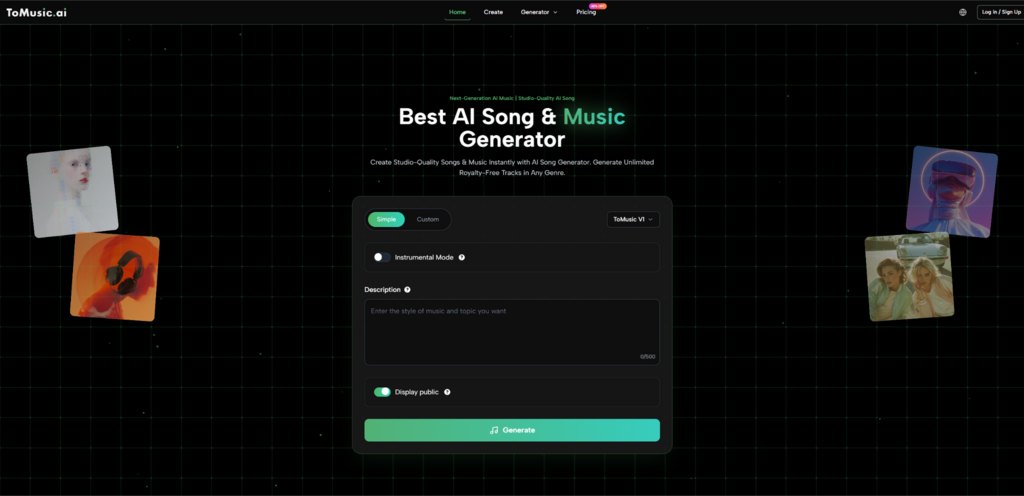
The most useful way to approach generative music is as a sketchbook. You’re not looking for perfection on the first try—you’re looking for momentum. A text-first workflow, including Lyrics to Song, lets you move from “I know the vibe” to “I can hear it” quickly, then refine.
What “Text-to-Music” Means in Real Use
Instead of hunting for a finished track, you describe:
- the mood (warm, tense, hopeful)
- the style (lofi, cinematic, pop, EDM)
- pacing (slow burn, mid-tempo groove, fast chase)
- texture (piano-forward, airy pads, heavy drums)
You’re essentially giving direction the way you’d brief a collaborator.
How I Suggest You Use It on Your First Day
Below is a workflow you can copy. It’s not “magic”—it’s a repeatable routine that usually improves results because it forces clarity.
Step 1: Write a One-Sentence “Music Brief”
Use this template:
- Scene + emotion + style + tempo + instruments
Example: “A reflective night-drive feel, gentle synthwave, mid-tempo, soft drums, warm bass, no harsh leads.”
Step 2: Generate 3 Variations, Not 1
Why three? Because your first prompt often captures only part of what you mean. Variations help you discover what you actually want.
Step 3: Keep a “Prompt Delta” Notes List
After each generation, change one thing:
- “more intimate”
- “less percussion”
- “brighter chorus energy”
- “stronger bassline”
Small edits create controlled movement.
Quick Tip
If you don’t know music terms, describe feelings and references:
- “like a sunrise after a long night”
- “minimal, spacious, not busy”
- “inspiring but not cheesy”
What This Approach Is Good For
Fast Emotional Matching
When you can generate and compare quickly, you stop settling. You iterate until the track supports your narrative.
Short-Form Content
If you make reels, shorts, or ads, you don’t need a “perfect album mix.” You need a track that makes your cut feel intentional.
Song Starters
Even if you’re a musician, a generated draft can act like a spark: chord mood, groove, or arrangement idea.
A Visual Comparison: Where This Fits in Your Toolkit
Here’s a grounded way to think about it—three common routes to music, with trade-offs.
| Approach | Best When | Strength | Trade-Off | Typical Outcome |
| Stock music library | You need something safe and quick | Predictable licensing, instant | “Close enough” vibe | Functional background |
| Compose in a DAW | You want full control | Maximum originality | Time + skill required | Most personal result |
| Text/lyric-driven generation | You want speed + customization | Fast drafts, easy iteration | May take multiple tries | Better fit, faster |
What You’ll Notice When You Iterate (A Realistic Expectation)
If you run a few trials, you’ll likely see a pattern:
- Attempt 1: correct style, wrong emotional tone
- Attempt 2: tone improves, arrangement still busy
- Attempt 3: the “fit” clicks
That’s normal. The value is not “one-click perfection,” but “rapid direction changes.”
Where Results Can Vary
Different prompts can produce different quality levels. Even small wording changes (like “gentle” vs “soft” vs “minimal”) can shift the outcome. That’s not a flaw—it’s the nature of generative systems responding to language.
Limitations That Make This Feel More Honest
To keep your expectations practical:
- You may need multiple generations to hit the exact vibe.
- Some outputs can feel slightly repetitive if your prompts are too broad.
- If you want highly specific musical moments (like a precise chord change on bar 9), you’ll still benefit from editing or composing.
A Useful Mindset
Use the generator to get 80% of the emotional direction, then decide whether you polish with trimming, layering, or a DAW.
How This Connects to the Bigger Trend
If you’re curious about the broader landscape of generative AI across creative tools, a neutral place to start is the annual Stanford AI Index report. It doesn’t “sell” any one tool; it helps you understand why these workflows are accelerating and where the limitations still are.
A Simple Closing Thought
You don’t need music to be effortless. You need it to be accessible early—so you can explore, compare, and choose with intention. When sound becomes part of your drafting process instead of your last-minute scramble, your work starts to feel more like you meant it from the beginning.
Try This Today
Pick one finished video you already love. Generate three different “mood drafts” for it using one-sentence briefs, then choose the one that makes your edit feel like a story—not just a sequence of shots.