When Pixels Speak Every Language: A Real-World Test of AI-Powered Image Translation
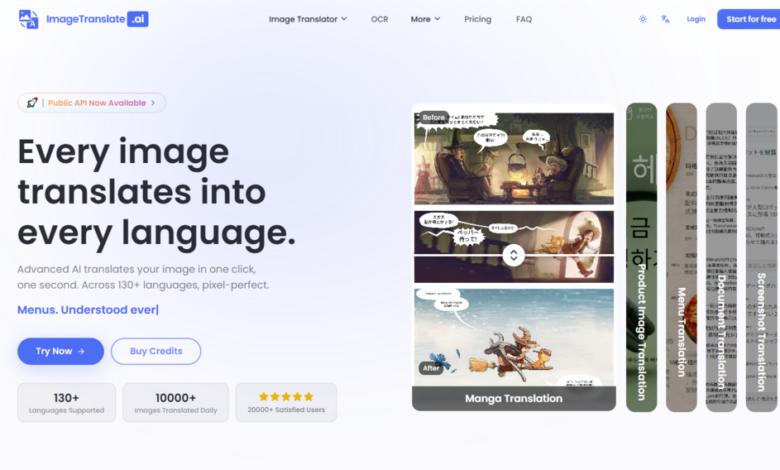
The global content machine has a blind spot: images. For years, brands, creators, and e-commerce teams have wrestled with a stubborn workflow—export text, translate separately, redesign the visual from scratch. It is slow, expensive, and almost always breaks the original design. Then came a wave of AI tools promising to fix this, but most fell short on one critical front: they could translate words, but they could not preserve the visual soul of the image. AI Image Translator enters this crowded space with a different claim. It does not just swap text; it rebuilds the image around the new language, pixel by pixel. After spending a week running real-world assets through its pipeline—product shots, manga pages, UI screenshots—the results reveal a tool that is finally closing the gap between translation and design.
The Three-Step Engine: How the Translation Pipeline Actually Works
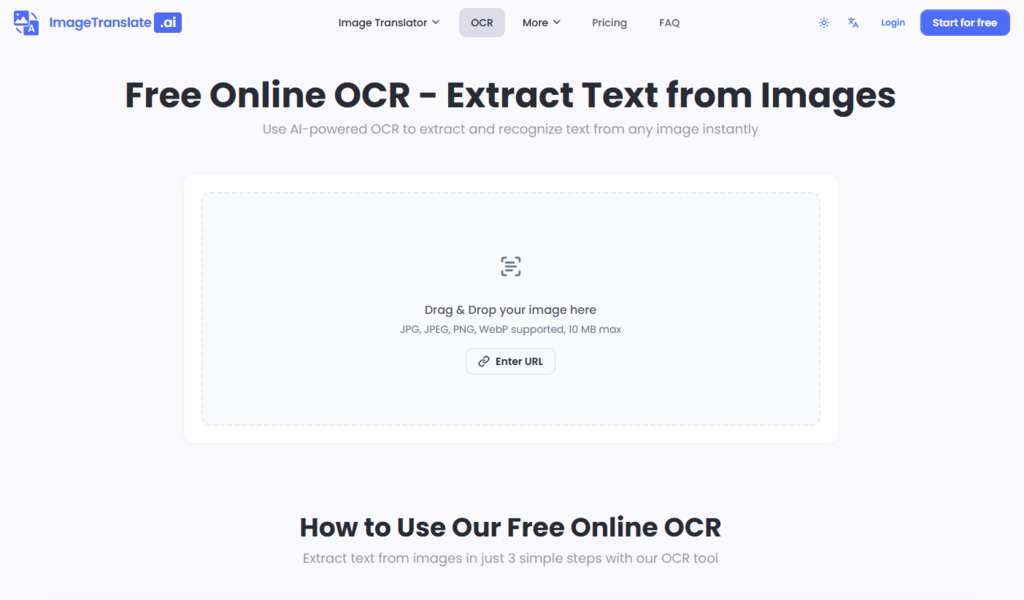
The platform’s core mechanism is deceptively simple. Upload an image, select languages, and download the result. But the underlying process is where the real engineering lives. Based on the official workflow, the system operates in three distinct phases, each handling a specific challenge.
Step 1: Upload and Format Handling
File Support and Size Limits
The uploader accepts JPG, JPEG, PNG, and WebP formats—the standard web image diet. Drag-and-drop works smoothly, and there is also a URL-based option for images already hosted online. File size caps scale with the pricing tier: free users get 10MB per image, while Enterprise subscribers can push up to 50MB. In practice, this covers everything from social media graphics to high-resolution product photography.
The Rights Confirmation Layer
One detail that stands out is the explicit rights confirmation during upload. The interface asks users to confirm they have the right to use the image before processing begins. It is a small friction point, but it signals a more serious approach to copyright than most free tools bother with.
Step 2: Language Selection and AI Processing
130+ Language Coverage
The platform supports over 130 languages, spanning Asian scripts like Chinese and Japanese to European languages including German and French. The source language is auto-detected, which removes a common point of friction for users who do not know the original text’s language.
The “One Second” Translation Claim
The site advertises translation in “one second”. In testing, actual processing time varied from two to six seconds depending on image complexity and text density. The claim is aspirational rather than literal, but the speed is still impressive for the level of layout preservation involved.
Step 3: Output and the Translation Editor
Pixel-Perfect Embedding
The translated text is embedded directly into the image, with the AI matching original fonts, colors, sizes, and positioning. This is the feature that separates this tool from basic OCR translators. The result is not a text overlay; it is a rebuilt image.
Post-Translation Fine-Tuning
After translation, users can access a translation editor to adjust fonts, colors, sizes, and positions directly on the image. This is crucial for professional work where automatic placement might misinterpret design intent. The editor gives back control without forcing a full redesign.
Testing the Tool Across Three Real-World Scenarios
To evaluate the tool properly, I ran it through three distinct use cases that reflect how different professionals might use it. Each test focused on a specific difficulty: layout complexity, text density, and design integrity.
Scenario One: E-Commerce Product Image Translation
The Task
A product listing image with layered text: a bold product name, a smaller feature list, and a promotional badge in the corner. The image had a gradient background and multiple font weights.
The Difficulty
Standard translation tools would extract the text, translate it, and paste it back as a block, destroying the visual hierarchy. The challenge was preserving the promotional badge’s stylized font while keeping the product name prominent.
Actual Performance
The AI detected all three text layers correctly. The product name retained its bold weight and central position. The feature list was reflowed to fit the original text boxes, which required slight font size adjustments—handled automatically. The promotional badge’s stylized font was preserved in style if not exact typeface. The result was usable for international storefronts without additional design work.
Strengths and Limitations
The layout preservation is genuinely impressive for structured content like product images. However, the font matching is approximate rather than exact—the AI selects a similar font from its library rather than replicating the original typeface. For most commercial use, this is acceptable. For brand-identity-critical work, the translation editor allows manual font substitution.
Who This Suits
E-commerce managers, marketplace sellers, and marketing teams who need to localize product visuals at scale. The batch translation feature, which processes up to 20 images across 10 target languages simultaneously, makes this viable for bulk workflows.
Scenario Two: Manga and Comic Page Translation
The Task
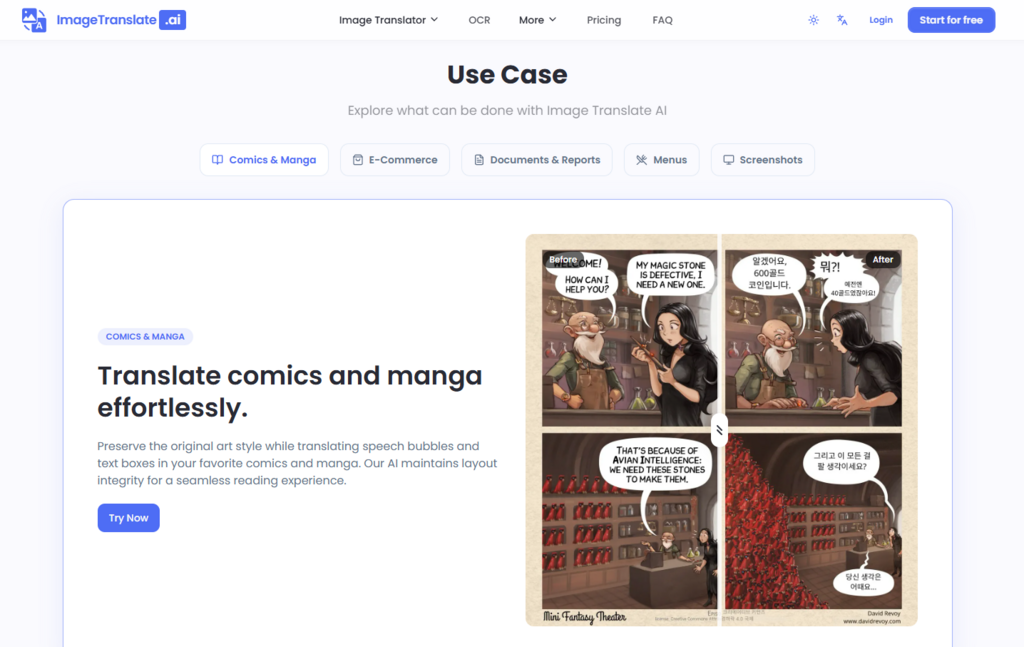
A two-page manga spread with speech bubbles, sound effects, and narrative boxes. The art style was detailed, with overlapping elements and varying text densities across panels.
The Difficulty
Manga translation is notoriously difficult because text is embedded in artwork. Removing text without damaging the art requires precise inpainting. Re-inserting translated text must respect bubble shapes, reading order, and the visual rhythm of the page.
Actual Performance
The platform has a dedicated Manga Translator mode. It detected speech bubbles and text boxes with high accuracy. The text removal process filled backgrounds convincingly—no obvious artifacts or smudging where text had been. Translated text was positioned within bubbles, with font size adjusted to fit. The reading order was preserved, which is critical for manga where panel flow determines narrative comprehension.
Strengths and Limitations
For clean, standard manga pages, the results are production-ready. The tool handles varying text densities well, scaling font sizes to fit without overflow. However, highly stylized sound effects—where text is integrated into the art as a visual element—are more challenging. The AI treats them as text to replace, which can remove intentional design flourishes. This is a limitation of the approach rather than a flaw in implementation.
Who This Suits
Manga translators, scanlation groups, and independent comic creators who need to localize pages quickly. The tool reduces a multi-hour manual process to minutes per page, though complex pages may still require the translation editor for fine-tuning.
Scenario Three: UI Screenshot and Document Translation
The Task
A software interface screenshot with button labels, menu items, and tooltips. Also tested a technical document page with tables and annotated diagrams.
The Difficulty
UI text is often short, context-dependent, and embedded in interactive elements. Translating button labels requires understanding function, not just literal meaning. Documents with tables present layout challenges where text length differs significantly between languages.
Actual Performance
The OCR accuracy on UI elements was outstanding—button labels and menu items were detected cleanly. Translation preserved the functional meaning, which is more important than literal accuracy for UI work. The table translation was the real test: the AI adjusted column widths and cell text sizes to accommodate longer translated phrases without breaking the table structure. This is a subtle but significant capability.
Strengths and Limitations
For structured content like UI and documents, the tool excels. The layout preservation handles tables and multi-column layouts well. The limitation is that very dense documents with small fonts may require manual verification of text placement, as the AI sometimes prioritizes layout over readability in tight spaces.
Who This Suits
Software localization teams, technical writers, and anyone preparing multilingual documentation. The batch mode is particularly useful here—translating an entire UI screenshot set in one go saves substantial time.
Feature Comparison: Where the Tool Stands
| Aspect | AI Image Translator | Traditional OCR + Manual Redesign | Basic Translation Plugins |
| Entry Barrier | Upload, select, download—no design skills needed | Requires design software proficiency | Low, but results are text-only |
| Workflow Speed | Seconds per image | Hours per image | Minutes for text, but no layout |
| Layout Preservation | Maintains fonts, colors, sizes, and positioning | Depends on designer skill | None—text is extracted separately |
| Best Use Case | Visual-heavy content needing fast localization | Brand-critical work requiring exact control | Simple text extraction |
| Output Consistency | High, with editor for corrections | Variable, depends on designer | N/A—no visual output |
| Learning Curve | Minimal—three-step process | Steep—requires design tools | Low, but limited utility |
The Real Limitations: What the Marketing Does Not Emphasize
No tool is perfect, and this one has clear boundaries that users should understand before committing.
Prompt Quality and Image Complexity Affect Results
The AI’s performance depends heavily on input quality. Low-resolution images with blurry text produce unreliable OCR. Images with text overlapping complex backgrounds—like patterned surfaces or detailed illustrations—may show inpainting artifacts where text was removed. In my testing, clean, high-contrast images performed flawlessly; busy, low-quality images required editor corrections.
Font Matching Is Approximate, Not Exact
The platform preserves font “style” rather than the exact typeface. For most use cases, this is sufficient. For brand work where a specific font is non-negotiable, the translation editor allows manual font selection, but this adds time.
Complex Scenes May Require Multiple Attempts
Some images—particularly those with dense, overlapping text or unusual layouts—may need more than one translation pass. The AI’s automatic detection occasionally misreads text order in complex layouts. The editor fixes this, but it is not a one-click miracle for every image.
Effectiveness Varies by Language Pair
While the tool supports 130+ languages, translation quality varies by language pair. Common pairs like English-Spanish perform better than rare combinations where training data is thinner. This is a limitation of the underlying translation models, not the image processing layer.
Who Should Use This Tool—and Who Should Look Elsewhere
The tool is not for everyone, and that is fine. It excels in specific contexts and falls short in others.
For e-commerce teams, marketing departments, and product localization workflows, the value proposition is clear: translate visual assets without redesigning them. The batch mode and translation editor make it practical for production use.
For manga and comic translators, the dedicated Manga Translator is a genuine time-saver. It handles the heavy lifting of text removal and placement, leaving creators to focus on quality control rather than grunt work.
For designers who require pixel-perfect, brand-identical output, the tool is a starting point rather than a finish line. It gets you 90% of the way there, but the final 10%—exact font matching, perfect inpainting on complex backgrounds—still requires human oversight.
For occasional users translating a few images, the free tier offers a reasonable test drive. The daily credits cover a couple of translations, enough to evaluate whether the paid plans are worth the investment.
The landscape of AI image translation is still young, and this tool represents a meaningful step forward. It does not replace professional translators or designers, but it does eliminate the most tedious part of visual localization: the manual reconstruction of translated content. In a world where speed to market matters, that is a real advantage.
AI Image Translator sits at an interesting intersection—powerful enough for serious work, accessible enough for casual use. The real test is whether it fits your specific workflow. For visual-heavy, multilingual content, the answer is increasingly yes.