How Image to Video AI Is Solving Real Business Problems—Without a Camera or Crew
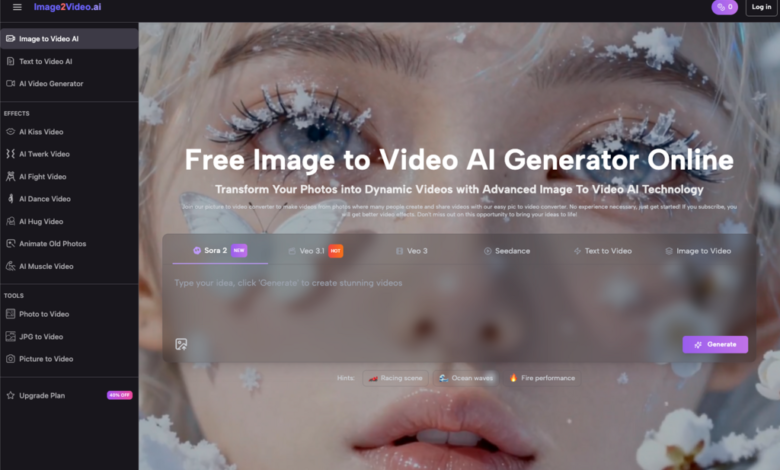
If you run a small or medium-sized business, you know how hard it is to keep up with the demand for fresh, engaging video content—especially when you’re short on time, budget, and technical skills. Hiring a videographer? Out of reach. Learning complex editing software? Not happening between client calls and inventory checks.
Enter photo to video—a game-changing tool that’s quietly reshaping how entrepreneurs create visual content. And no, this isn’t just another gimmick. As someone who’s tested dozens of AI media tools over the past two years, I can tell you: Image to Video AI delivers real value for real businesses.
Why Static Images Aren’t Enough Anymore
Let’s be honest: a single product photo on Instagram gets lost in the scroll. But a 5-second looping video showing that same item rotating, zooming, or subtly animated? That stops thumbs. Social algorithms favor motion. Customers expect dynamism. Yet most SMBs are stuck with static images because video production feels too expensive or complicated.
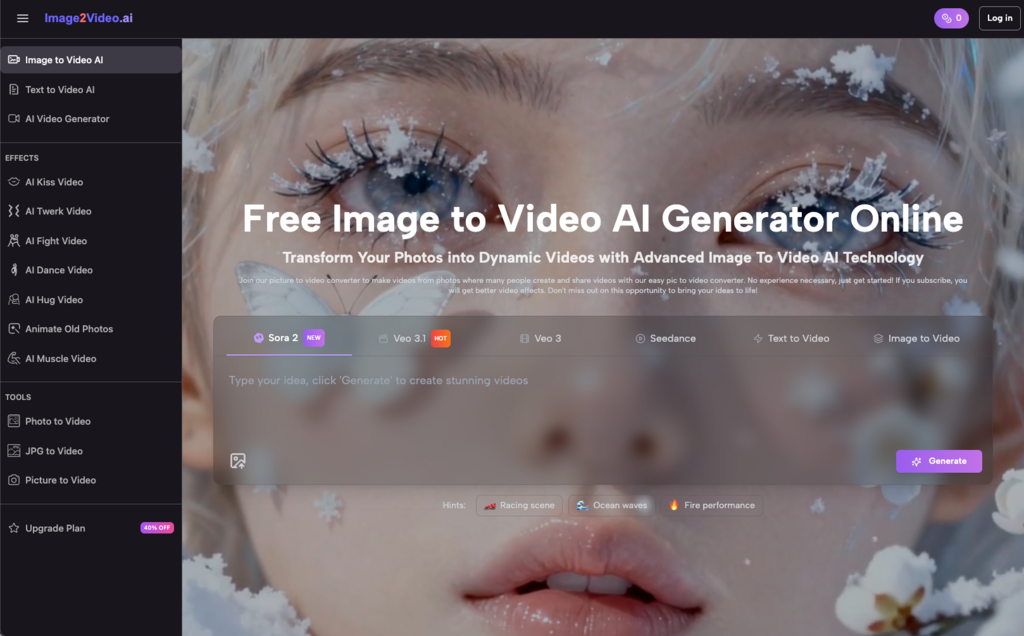
That’s where Image to Video AI bridges the gap. You upload a photo. Add a short text prompt like “gentle zoom on coffee mug with steam rising.” Hit generate. Five minutes later, you’ve got a polished MP4 ready to post. No green screens. No cameras. No crew.
This isn’t science fiction—it’s workflow optimization in action.
Real-World Use Cases: Where Image to Video AI Shines
E-commerce Sellers: Turn Product Photos into Mini Ads
A Shopify store owner I worked with used Image to Video AI to convert her flat-lay jewelry photos into subtle animations—adding gentle sparkle effects and slow pans. Result? A 27% increase in click-through rates on Facebook ads. She spent zero extra on production.
Local Service Businesses: Bring Before/After Photos to Life
Think dentists, landscapers, or contractors. Instead of posting two side-by-side stills, they now use Image to Video AI to create smooth transitions from “before” to “after.” One roofing company told me their lead form submissions jumped after switching to animated project showcases.
Coaches & Consultants: Animate Testimonials or Infographics
Static quote cards underperform. But when a life coach used Image to Video AI to animate a client testimonial over a background photo—with soft fade-ins and text overlays—her LinkedIn engagement tripled in two weeks.
These aren’t hypotheticals. They’re documented wins from founders using Image to Video AI as a force multiplier.
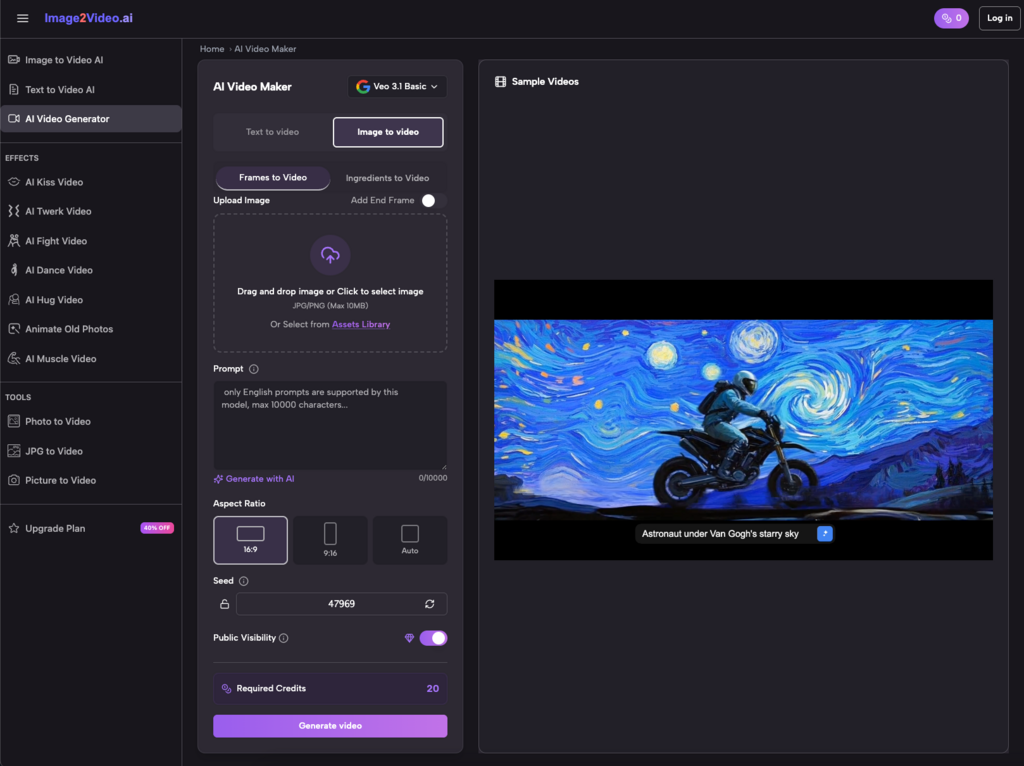
How to Use Image to Video AI: A 4-Step Workflow (Even If You’re Not Tech-Savvy)
The best part? It’s dead simple. Here’s exactly how it works:
- Upload your image
Supported formats: JPEG, PNG, JPG. Just drag and drop your photo into the browser—no app download needed.
- Describe what you want
Use plain English: “Pan left across mountain landscape,” or “Zoom in on laptop screen showing analytics dashboard.” The Image to Video AI interprets your intent.
- Wait 3~5 minutes
Processing happens in the cloud. You’ll see a “processing” status—grab a coffee. No rendering on your device.
- Download and share
Get a high-quality MP4 file. Post directly to Instagram Reels, TikTok, YouTube Shorts, or embed in emails.
I’ve used this flow myself to turn old travel photos into mini reels for my personal brand—zero filming required. The output looks surprisingly professional, especially with the AI’s intelligent motion paths and smooth transitions.
Common Pitfalls (and How to Avoid Them)
Even great tools can underdeliver if misused. Here’s what I’ve learned testing Image to Video AI extensively:
- Vague prompts = generic results Instead of “make it move,” try “slow zoom toward subject’s eyes with subtle parallax on background.” Specificity unlocks precision.
- Low-res images limit quality The Image to Video AI can’t invent detail. Use high-resolution source photos (at least 1080px wide) for best results.
- Don’t skip the preview Always review your generated video before bulk-downloading. Some motions may feel unnatural—tweak your prompt and regenerate.
Also, remember: current Image to Video AI tools typically generate 5-second clips. That’s perfect for social snippets but not for long-form storytelling. Manage expectations accordingly.
Image to Video AI vs. Traditional Methods: A Quick Comparison
| Feature | Traditional Video Production | Image to Video AI |
| Time per video | Hours to days | ~5 minutes |
| Cost | $100–$5,000+ per video | Free (basic tier) |
| Technical skill needed | High (editing, lighting, scripting) | None |
| Equipment required | Camera, mic, lights, software | Just a web browser |
| Scalability | Low (labor-intensive) | High (batch processing possible) |
For SMBs juggling 10 roles at once, this isn’t just convenient—it’s transformative.
Best Practices for Maximum Impact
After generating hundreds of clips, here’s what works consistently:
- Match motion to message Calm services (therapy, finance)? Use slow zooms. Energy brands? Try dynamic pans or rotations.
- Add music separately Most Image to Video AI tools output silent MP4s. Layer royalty-free tracks in CapCut or Canva afterward for emotional punch.
- Batch-create for campaigns Got 10 product photos? Run them all through Image to Video AI in one sitting. Maintain visual consistency while scaling content.
- Repurpose across platforms One Image to Video AI clip can serve as an Instagram Story, Facebook ad, email header, and website banner—just resize as needed.
The Bottom Line for Busy Founders
You don’t need a film degree or a $10K budget to compete visually online. Image to Video AI democratizes high-impact video creation—and it’s free to start.
Whether you’re turning customer photos into social proof reels, animating infographics for training, or breathing life into old family snapshots for a heartfelt promo, this technology removes friction without sacrificing quality.
And yes—it really is as easy as upload, describe, wait, and share. I’ve done it on my phone during a coffee break. My clients have done it between meetings. Your team can do it tomorrow.
In a world where attention is scarce and video is king, Image to Video AI isn’t just a nice-to-have. It’s your shortcut to staying relevant—without burning cash or clock.
So go ahead: take that static image gathering dust in your media library, feed it into an Image to Video AI generator, and watch it move. You might be surprised how much storytelling power was hiding in a single frame all along.