What Image to Video AI Tool Should I Choose to Create Videos From Photos
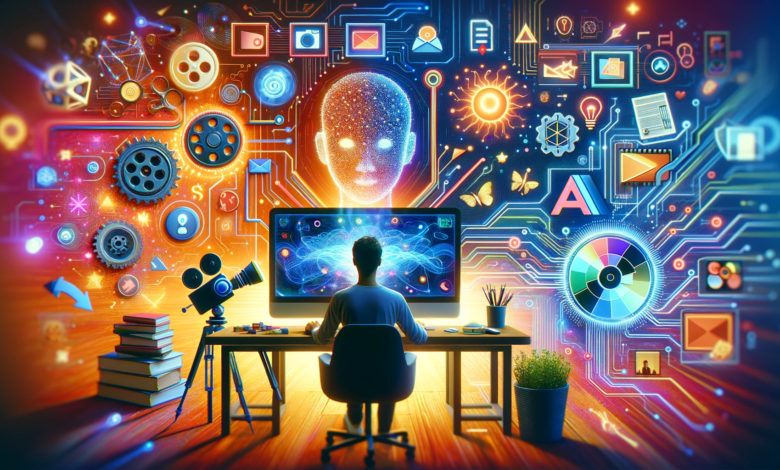
Imagine you’re a small business owner preparing to post a new product reveal on social media. You only have a single photo. Plus, there’s no video team, no fancy setup. So, what do you do?
Well, worry not. Instead of settling for a static image, you can simply drop it into an AI tool and instantly get a polished video with smooth camera motion, subtle lighting effects, and added depth. Everything as you needed! That’s the power of modern image-to-video AI. It turns simple photos into dynamic content, helping creators of all levels produce engaging visuals quickly and effortlessly.
But with so many tools now available, each offering different strengths, speed levels, and creative controls, choosing the right one isn’t always straightforward.
Top Image-to-Video AI Tools to Consider
Choosing the right image-to-video AI tool depends on how much control, realism, and creative flexibility you need. Here’s a breakdown of the leading options and what they offer.
Veo 3.1
Veo 3.1 is ideal if visual consistency is your top priority. Unlike many models that struggle to maintain the same face or style across frames, Veo lets you upload one to three reference images to lock in identity, design, or environment. This prevents the common “morphing” effect that can break realism.
One standout feature is its start-to-end control. You upload two different images, and Veo generates a smooth visual transition or matching motion between them. Whether you’re animating a character, evolving a scene, or guiding a product shot, Veo offers one of the most reliable workflows for creators who need precision.
Kling 3.0 Pro
Kling 3.0 Pro is a powerhouse for cinematic-quality output. It generates videos with high-fidelity textures, realistic lighting, and advanced motion rendering that often rivals traditional CGI. With support for up to 4K resolution, it’s well-suited for commercial campaigns, product promos, and professional storytelling.
What sets Kling apart is its synchronized audio support. This includes sound effects, ambient noise, music, and even character-specific dialogue with accurate lip-sync. If you want polished, production-ready clips straight from a photo, Kling is one of the strongest choices.
Grok Imagine 1.0
Grok Imagine 1.0 is xAI’s entry into image-to-video generation, currently offering 10-second clips at 720p. It focuses heavily on prompt accuracy, meaning the AI sticks closely to the creative direction you give it.
While its resolution is lower than some competitors, its improved audio-visual alignment makes it a great option for quick concept videos, memes, social posts, and experimental ideas where fast output matters more than ultra-high fidelity.
Sora 2
OpenAI’s Sora 2 pushes realism further than almost any other model. It produces lifelike characters, natural motion, and environmental physics, applying real-world rules like gravity, momentum, and object collisions to a still image.
Standard videos range 4-12 seconds, while Sora 2 Pro can extend clips up to 25 seconds. For creators wanting ultra-realistic cinematic motion from a single photo, Sora delivers some of the most impressive results in the industry.
Where to Find All the Best Image-to-Video AI Tools
Finding the right place to use image-to-video AI tools depends on your needs, but not all platforms are created equal. Here’s where creators typically turn:
Free Platforms
Free tools may seem appealing, but they often come with significant limitations. Many offer low-resolution output, watermarks, restricted usage rights, or unclear licensing that prevents commercial use. Some lack stability, resulting in inconsistent motion, distorted faces, or unpredictable results.
Data privacy can also be a concern, as some free platforms use your images or prompts for model training. They’re fine for quick experiments, but not ideal for creators who need reliability, safety, or professional-grade visuals.
Premium Resource Platforms
Some creator-focused platforms curate a suite of tools, combining AI video generator tools with sound effects, music catalogs, stock footage, templates, and editing plugins. These platforms bundle clear licensing, predictable usage rights, and vetted, secure integrations, making them ideal for professionals who can’t risk murky terms or copyright confusion. They also remove guesswork.
There’s no juggling half a dozen subscriptions or scrambling to understand commercial permissions. Many include built-in tutorials, ready-made presets, and guided AI workflows to ensure consistent, high-quality output. Although these platforms come at a higher upfront cost, they significantly reduce workflow friction and offer peace of mind, especially for creators producing content for brands, clients, or monetized channels.
Which Tool Should You Choose?
There’s no single “best” image-to-video AI tool. Each excels in different situations. Some creators prefer ultra-realistic motion, others prioritize character consistency, while some need fast generation for social content.
Instead of locking yourself into one model, a premium creative platform gives you the flexibility to choose the right tool for each project whether that’s Sora for realism, Kling for cinematic motion, Veo for precision control, Grok for quick concept videos, or any other tool based on the need. Having multiple options in one place lets you match the tool to the task, not the other way around.