5 AI Agents Worth Knowing About Right Now (2026 Edition)

AI agents have moved well past the hype phase. By now, they’re handling real work — managing inboxes, writing and reviewing code, doing research, and running long multi-step tasks without anyone babysitting them. The market hit $7.6 billion in 2025, and it’s only getting bigger.
But “AI agent” has become one of those terms that gets slapped on everything. Some tools are genuinely autonomous. Others are just chatbots with a few extra buttons. This list cuts through that noise.
Here are five AI agents that are actually doing interesting things right now — including two that deserve a much closer look.
1. MyClaw — A Personal AI Agent You Actually Control
If you’ve heard about OpenClaw — the open-source AI agent framework that hit 134,000 GitHub stars and trended globally in its first week — you already know the appeal. An autonomous agent that can browse the web, manage files, send emails, write and review code, control your desktop, and automate workflows across your entire digital life. The problem is that setting it up yourself is genuinely painful. You’re looking at Docker configs, Python version conflicts, and port errors before you even get started.
What MyClaw Does
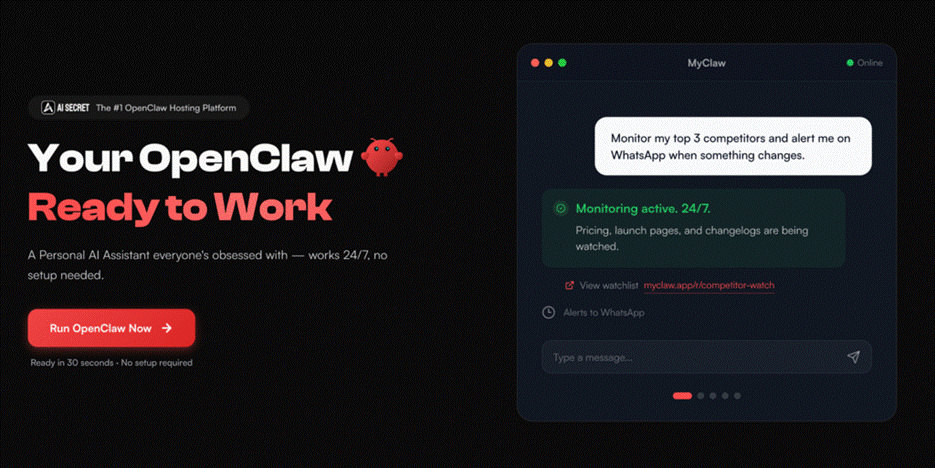
MyClaw is a managed cloud hosting platform built specifically for OpenClaw. You pick a plan, and within about 30 seconds you have a private, always-on AI agent running on a dedicated server — no terminal, no SSH, no configuration headaches. It handles all the infrastructure: updates, security patching, backups, and scaling. You just log in and use it.
Once it’s running, your OpenClaw instance can handle a wide range of tasks:
- Workflow automation — automate email responses, reminders, and scheduling without lifting a finger
- Code and development — review pull requests, generate unit tests, refactor projects, and manage GitHub repos
- Browser control — fill forms, scrape data, monitor prices, and navigate websites autonomously
- File and document management — organize, search, and process files across your storage
- App integrations — connect to third-party services through your own API keys
Who It’s For
MyClaw is built for three types of people. First, anyone who wants a personal AI assistant but doesn’t want to spend a weekend fighting with server configs. Second, developers who want full OpenClaw capability without the DevOps overhead. Third, small businesses and teams that need an agent running consistently — not just on someone’s laptop that goes offline at 6pm.
The platform launched publicly in early 2026 and is still maturing, so it’s worth starting with lower-stakes workflows before handing it anything mission-critical. But for what it offers — a fully functional, always-on AI agent without any setup friction — it’s one of the more practical options available right now.
2. MiniMax M3 — The Open-Weight Model That Changed the Conversation
On June 1, 2026, MiniMax released M3 and immediately gave the AI world something to talk about. This is an open-weight model — meaning you can download the weights and self-host it — that genuinely competes with closed models from OpenAI, Anthropic, and Google. That’s a bigger deal than it sounds.
What Makes M3 Different
Most open models are good at one thing. MiniMax M3 is built to be good at three things simultaneously, in a single architecture:
Frontier-level coding. M3 scored 59.0% on SWE-Bench Pro — a demanding real-world software engineering benchmark — beating GPT-5.5 (58.6%) and Gemini 3.1 Pro. That’s not a toy result.
A 1-million-token context window. That’s enough to hold an entire mid-sized codebase in active memory. Five times larger than its predecessor, M3 achieves this through MiniMax Sparse Attention (MSA), a new architecture that cuts per-token compute dramatically — 15x faster decoding and nearly 10x faster prefill compared to M2 at long contexts.
Native multimodal input. M3 wasn’t trained with text first and vision bolted on later. Images and video were trained in from the beginning, which means the model actually understands visual content rather than just describing it.
M3 as an AI Agent
M3’s agentic capabilities are worth singling out. In one demonstration, MiniMax gave M3 an ICLR 2025 Outstanding Paper and told it to reproduce the core experiments. The model ran for nearly 12 hours independently, produced 18 code commits and 23 experimental charts, and completed the task without human input. In a separate test, it trained four base models from scratch — handling data synthesis, training, evaluation, and iteration — over a 12-hour window.
That’s not a benchmark. That’s what sustained autonomous execution looks like in practice.
Pricing and Access
M3 is priced at $0.60 per million input tokens and $2.40 per million output tokens. For comparison, that’s a fraction of what closed models from Anthropic and OpenAI charge for similar capability. If you want to try it without building your own API setup, you can access M3 directly through the MyClaw platform.
3. Claude Code — Anthropic’s Coding Agent
Claude Code is Anthropic’s command-line agent for coding. It runs in your terminal, has access to your file system and shell, and can work through multi-file refactors, debug sessions, and longer projects without needing you there for every step. What sets it apart is context awareness — it reads your codebase before making changes, understands the broader architecture rather than just the open file, and explains its reasoning as it goes. For developers who want an agent that fits inside their existing workflow, Claude Code is one of the most production-ready options out there.
4. Cursor — The AI-Native Code Editor
Cursor started as a fork of VS Code and has become one of the most widely used AI coding environments. The AI has full awareness of your codebase — not just the file you have open — and agent mode can plan multi-step changes, write across multiple files, run terminal commands, and fix errors it hits along the way. It’s especially useful for greenfield projects or large refactors where you want the AI driving direction, not just filling in autocomplete. If you write code and haven’t tried an AI-native editor yet, Cursor is the most natural place to start.
5. Lindy — The No-Code Agent Builder
Not everyone building with AI agents is a developer. Lindy is designed for that gap. It’s a no-code platform that lets you build autonomous workflows — think inbox triage, lead research, meeting scheduling, CRM updates, and customer support — without writing a line of code.
You describe what you want the agent to do, connect your tools (Gmail, Slack, Salesforce, Notion, and dozens more), and Lindy handles the logic. It can run on a schedule, trigger based on events, and handle conditional steps without any programming knowledge required.
For teams that need automation fast and don’t have engineering bandwidth to set something up from scratch, Lindy delivers results quickly.
MyClaw vs. MiniMax M3 — Are These the Same Thing?
They’re related but serve different purposes — and it’s worth being clear about how they fit together.
MiniMax M3 is an AI model. It’s the underlying intelligence — the system that reads input, reasons through problems, and produces output. Think of it like an engine. A powerful one, but an engine nonetheless.
MyClaw is a platform. It gives you a managed, always-on environment where an AI agent can actually run, use tools, connect to your apps, and do work in the world. MyClaw can run multiple models, including M3.
The practical difference is this: M3 is great if you’re a developer building applications or want to query a powerful model via API. MyClaw is for anyone who wants an agent doing things on their behalf — browsing, automating, managing files — without having to build and host that infrastructure themselves.
Used together, they’re complementary. M3’s long context window and agentic reasoning become significantly more useful when deployed inside a persistent, tool-equipped environment like MyClaw.
Which One Should You Start With?
There’s no universal right answer, but here’s a quick way to think about it:
- If you want a personal AI agent that works 24/7 with minimal setup → MyClaw
- If you’re a developer who needs a powerful, affordable, open-weight model → MiniMax M3
- If you write code and want an AI that understands your entire project → Claude Code or Cursor
- If you want to automate business workflows without engineering → Lindy
The most important thing is to actually start. Pick one tool, give it a real task, and see what it can do. The gap between AI agents in 2024 and what’s available right now is enormous — and that gap is only going to keep growing.