A Practical Guide to AI Image Generation Workflows and Model Selection
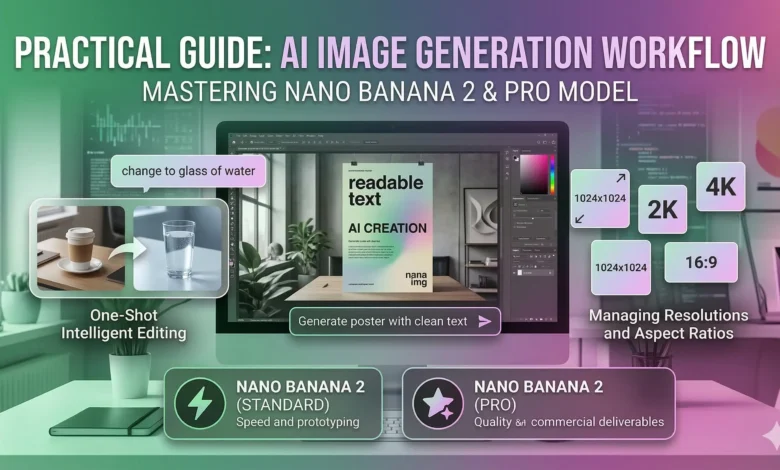
As AI image generation becomes integrated into daily design and content workflows, finding a tool that consistently renders text accurately and adheres strictly to prompts is a common challenge. Many creators spend excessive time in post-production fixing scrambled letters or correcting lighting inconsistencies. For those evaluating current cloud-based options, the Nano Banana 2 AI Image Generator provides a highly specific architecture designed to address these exact pain points.
Powered by the Gemini 2.0 Flash architecture, this model shifts the heavy lifting to the cloud, eliminating the need for expensive local GPU setups. Here is an objective breakdown of its capabilities, optimal settings, and how to structure your generation workflow.
Core Capabilities and Technical Strengths
Understanding what an AI model excels at allows you to utilize it for the right projects. This specific model prioritizes functional design elements over purely abstract art.
- Readable Text Rendering: A persistent issue with earlier diffusion models is the inability to generate legible text. This architecture is specifically optimized to output clear, readable characters. This makes it highly applicable for generating storefront mockups, UI concepts, logo drafts, and typographic posters where post-editing text would be tedious.
- Natural Language One-Shot Editing: Instead of relying heavily on complex masking tools or in-painting brushes, the system uses context-aware natural language processing. Users can upload a reference image and issue a direct prompt—such as “swap the coffee cup on the desk for a glass of water”—and the model will execute the change while preserving the original shadows, perspective, and global lighting.
- Prompt Adherence: The underlying architecture requires less “prompt hacking.” Instead of chaining together dozens of disjointed keywords, you achieve better results by writing clear, descriptive, and structured sentences detailing the subject, environment, and specific lighting conditions.
Managing Resolutions and Aspect Ratios
To optimize server load and user credit consumption, the default output resolution is set to 1024×1024 pixels. However, production workflows rarely rely on perfect squares.
If your project requires a specific dimension—for instance, a 1280×700 banner for a blog post—you do not need to settle for the default square. The most efficient workflow is to select a custom aspect ratio close to 16:9 in the settings panel and set the output width to 1280. The engine automatically calculates the corresponding height. Alternatively, you can generate a larger 2K asset and utilize the built-in editor to crop it to your exact required dimensions without losing pixel density.
Standard vs. Pro: Selecting the Right Model
Depending on where you are in your project timeline, you will likely need to toggle between different computational tiers. The platform offers two variations of the Nano Banana 2 AI Image Generator to accommodate different stages of production.
The Standard Model
This is built for rapid iteration. When you are testing prompt structures or brainstorming general concepts, this model generates 1024×1024 images in approximately 5 to 15 seconds. It consumes fewer credits, making it the practical choice for the drafting phase.
The Pro Model
When you have finalized your prompt and need a production-ready asset, the Pro model is required. It supports 2K (2048px) and 4K (4096px) output resolutions, delivering photorealistic rendering and complex multi-reference consistency. Because of the increased computational demand, 2K generations take 10 to 20 seconds, while 4K outputs require 20 to 40 seconds. For developers integrating this into external applications, this specific tier is accessed via the nano-banana-2-pro API parameter.
Navigating the Credit-Based System
Rather than a flat rate, usage is measured via a credit system that scales based on the computational weight of your request. This structure allows for cost control, provided you understand the varying costs of your inputs.
A standard 1024×1024 generation costs significantly less than a 4K output. For context, generating a 4K image from a text prompt costs 12 credits, while using an image-to-image workflow at 4K resolution costs 15 credits.
A critical detail for users managing strict budgets: the system is designed to only charge for successful outputs. If a generation fails due to a timeout or server-side error, zero credits are consumed. Subscription tiers (ranging from Starter to Unlimited) simply determine the monthly pool of these credits, allowing independent creators and larger studios to select a volume that matches their output frequency.