DST vs PES vs EMB: Choosing the Right Embroidery File Format
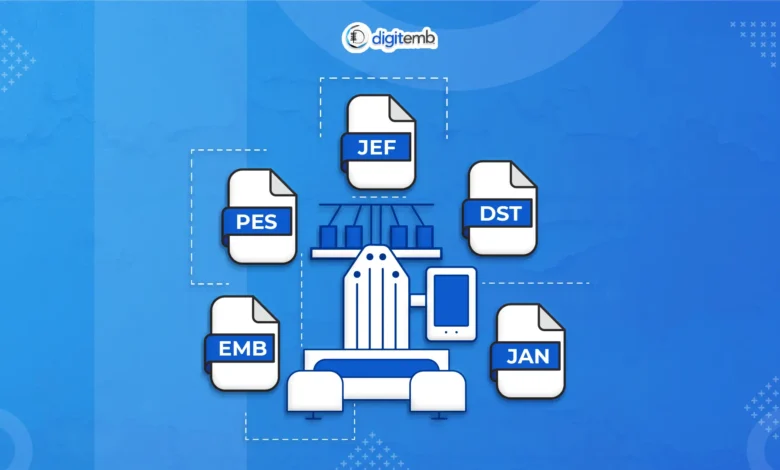
Choosing the correct embroidery file format can make a real difference to stitch quality, machine compatibility, and production speed. Many businesses that rely on Embroidery Digitizing Services UK often receive designs in DST, PES, or EMB format, but not everyone understands what each one actually does. While the file names may look similar, each format serves a different role in the embroidery workflow, from editable design files to machine-ready stitch outputs.
If you run an embroidery shop, print studio, clothing brand, or uniform business, using the right file type helps reduce thread breaks, improve registration, and keep logo details sharp on garments, caps, patches, and workwear.
In simple terms, the right file format affects how the embroidery machine reads stitch paths, colour changes, trims, jump stitches, and underlay settings. Choosing the wrong one can lead to poor stitch density, bad push and pull compensation, and unnecessary production delays.
Why Embroidery File Formats Matter in Production
Embroidery machines do not read image files the way humans do. A JPG, PNG, PDF, or vector logo may show the artwork clearly, but the machine still needs stitch instructions.
This is where embroidery file formats come in.
A stitch file acts like a set of production commands.
The entity → attribute → value relationship here is simple:
- DST file → stitch coordinates → commercial machine output
- PES file → colour and hoop data → Brother compatibility
- EMB file → editable stitch objects → source design control
These semantic relationships matter because every machine brand processes stitch data differently.
For example:
- Tajima machines prefer DST
- Brother machines often use PES
- Wilcom software saves editable projects as EMB
The file format determines:
- stitch direction
- stitch angle
- underlay type
- compensation
- colour stops
- trims
- sequin or applique support
- hoop boundaries
- machine memory behaviour
For embroidery businesses, this directly impacts production quality.
A clean file improves:
- smoother satin stitches
- cleaner fills
- reduced puckering
- fewer thread breaks
- better small lettering
- cleaner left chest logos
- improved cap embroidery
That is why digitizers usually keep an editable source file and then export machine-specific outputs depending on the embroidery machine brand.
What Is a DST File in Embroidery?
DST is one of the most widely used embroidery machine file formats in commercial production.
It was originally developed for Tajima embroidery machines, and it remains the standard stitch format used by many industrial embroidery systems.
Today, DST files are commonly used on:
- Tajima
- Barudan
- SWF
- Happy
- Ricoma
- Melco
- ZSK
A DST file stores the stitch path coordinates that tell the machine where the needle should move.
This includes:
- stitch points
- jump stitches
- trims
- stop commands
- sequin commands in supported systems
The biggest advantage of DST is machine compatibility.
Most commercial embroidery machines can read DST without issues, which makes it the safest choice for production-ready designs.
For example, if a UK workwear supplier needs 500 embroidered polo shirts, the final logo file is usually exported as DST because it is reliable, lightweight, and easy for production machines to process.
When DST Works Best
DST is ideal for:
- bulk uniform embroidery
- corporate logos
- cap embroidery
- jacket backs
- schoolwear badges
- patch production
- sports team embroidery
- trade embroidery shops
Because the file is stitch-based rather than object-based, DST is excellent for fast machine execution.
However, it is not ideal for editing.
Once exported, changing:
- stitch density
- underlay
- pull compensation
- stitch angle
- object shapes
becomes much harder.
That is why most digitizers preserve the EMB source file first.
What Is a PES File?
PES is most commonly associated with Brother and Babylock embroidery machines.
It is one of the most popular formats used by:
- home embroidery businesses
- Etsy sellers
- boutique clothing brands
- startup cap brands
- personalised gift shops
- custom babywear businesses
Unlike DST, PES often stores more metadata.
This may include:
- thread colour sequence
- hoop dimensions
- design preview data
- placement information
- machine-specific settings
This makes PES especially useful for smaller embroidery setups where visual colour order and hoop fit matter before stitching begins.
A small UK embroidery business running Brother PR machines may prefer PES because the machine displays colour changes more clearly during the stitching sequence.
Where PES Is Commonly Used
PES works especially well for:
- personalised gifts
- monograms
- left chest logos
- baby blankets
- custom towels
- fashion startup samples
- personalised hoodies
- name embroidery
Because of its machine-specific friendliness, it is often the preferred format for brands handling smaller custom orders.
Still, PES is not as universal as DST in industrial environments.
If a file needs to move between multiple commercial embroidery systems, DST is usually the safer final output.
What Is an EMB File?
EMB is different from DST and PES because it is not primarily a machine-run file.
Instead, it is the editable source file, most commonly created in Wilcom embroidery software.
This is the master version of the design.
It contains the full object-level embroidery data, including:
- stitch objects
- satin columns
- fill regions
- run stitch paths
- underlay styles
- pull compensation
- push compensation
- stitch density
- start and end points
- trims
- sequencing logic
- applique layers
- 3D puff settings
This file is what allows a digitizer to revise the design properly.
For example, if a client wants:
- text enlarged
- stitch density reduced
- underlay changed for caps
- pull compensation adjusted for fleece
- puff foam added
the EMB file makes these changes easy.
This is why EMB should always be treated as the source of truth in embroidery production.
Without it, every revision becomes slower and less accurate.
DST vs PES vs EMB: Choosing the Right Embroidery File Format (Part 2)
DST vs PES vs EMB: The Key Differences
At first glance, these three file types may seem interchangeable, but each one plays a very different role in the embroidery process.
The easiest way to think about it is this:
- EMB = editable source design
- DST = commercial production output
- PES = Brother and home machine output
Here’s a simple comparison.
| File Format | Main Purpose | Editable | Best Machine Use | Best For |
| DST | Machine-ready stitch output | No | Tajima, Barudan, SWF, Ricoma | Bulk production |
| PES | Brother-compatible stitch file | Limited | Brother, Babylock | Small business and personalised orders |
| EMB | Master editable file | Yes | Wilcom software | Design revisions and exports |
The important thing is understanding the entity relationship between the three.
The EMB file creates the source object data.
That source is then exported into DST or PES depending on machine requirements.
So the natural semantic flow is:
EMB source → DST export → commercial embroidery machine output
or
EMB source → PES export → Brother embroidery machine output
This workflow keeps stitch logic clean and prevents unnecessary file corruption.
Which Format Is Best for Commercial Embroidery Orders?
For most commercial embroidery shops, DST is still the most reliable format.
It works especially well for:
- workwear production
- school uniforms
- sportswear
- cap logos
- jacket backs
- trade embroidery
- bulk patch stitching
- promotional garments
Commercial machines are built to process clean stitch coordinates quickly, and DST handles this well.
That is why clothing decorators, print studios, and uniform suppliers often request DST first.
However, a good production workflow should always begin with an EMB master file.
This is where many businesses make mistakes.
They save only the DST file, then later need:
- logo resizing
- density adjustments
- cap conversion
- puff setup
- applique border changes
- small text clean-up
Without the EMB source, these updates become messy.
That is why many UK clothing brands rely on Embroidery Digitizing Services UK providers who supply:
- editable EMB files
- production DST files
- Brother PES outputs
- machine-specific stitch versions
This gives flexibility for repeat orders, machine changes, and garment variations.
Common File Format Mistakes That Cause Stitch Problems
A lot of embroidery issues are not caused by the machine.
They start with the wrong file format choice.
Here are some of the most common problems.
1) Sending a PNG Instead of a Stitch File
A logo image is not an embroidery file.
A PNG only shows the artwork.
It does not contain stitch commands, underlay, density, trims, or colour stops.
The embroidery machine still needs DST, PES, or another machine-readable stitch format.
2) Resizing a DST File Directly
This is one of the biggest production mistakes.
DST is a stitch output file, not a flexible design object.
If you scale it up or down directly, it often causes:
- stitch gaps
- heavy fills
- broken satin columns
- poor lettering
- puckering
- registration issues
Resizing should always happen from the EMB source file.
3) Using PES on Commercial Tajima Machines
While some systems may convert it, PES is still primarily intended for Brother and Babylock environments.
For Tajima, Barudan, and similar industrial setups, DST remains the cleaner option.
4) Ignoring Cap vs Flat Garment Differences
A logo stitched on a hoodie behaves differently from one stitched on a structured cap.
The file may need:
- centre-out sequencing
- stronger underlay
- adjusted pull compensation
- shorter stitch lengths
- foam support for puff
This is why the same artwork often needs separate exports for different garment types.
How Professional Digitizers Choose the Right File Type
Choosing the correct embroidery format is usually based on machine brand, garment type, and production goal.
The decision tree is normally simple.
Use DST when:
- production is commercial
- multiple machines are involved
- the job is bulk quantity
- caps or patches are included
- the client runs Tajima or Barudan systems
Use PES when:
- the customer uses Brother
- it is a personalised retail order
- visual colour sequencing matters
- the hoop layout is important
Use EMB when:
- revisions are expected
- multiple garment variations are planned
- the design may be resized
- cap and flat versions are both needed
- repeat customer orders are common
This is where a solid digitizing workflow improves turnaround speed.
Instead of rebuilding the logo every time, the EMB source allows quick exports for:
- DST
- PES
- EXP
- JEF
- VP3
- HUS
depending on machine needs.
Final Verdict: Which Embroidery Format Should You Choose?
The best format depends on what stage of production you are in.
If you need an editable source, use EMB.
If you need commercial machine output, choose DST.
If the job runs on Brother systems, PES is usually the best fit.
The smartest workflow is not choosing one over the other.
It is keeping the right file hierarchy:
EMB for editing → DST for production → PES for Brother compatibility
That keeps the embroidery process clean, scalable, and much easier to manage for repeat business.
For brands handling uniforms, workwear, promotional garments, cap embroidery, and custom patch orders, this workflow helps improve stitch quality while reducing costly production errors.