How to Create an AI Fitness App?
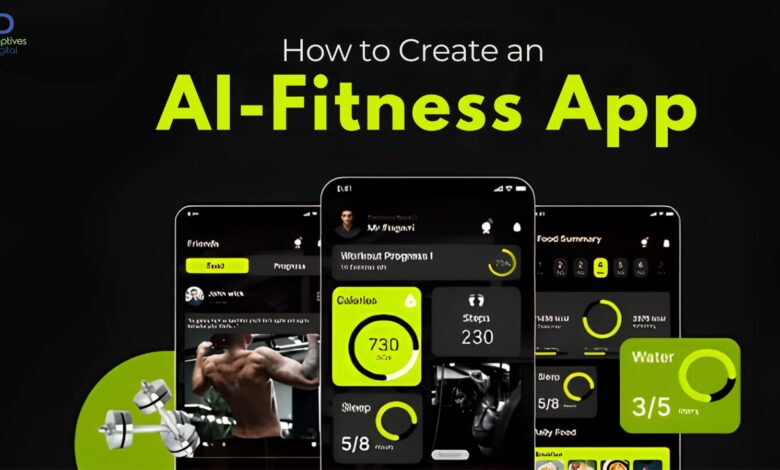
Fitness apps used to be simple trackers. Count steps, log calories, maybe show a workout plan. That was enough for a while.
Now users expect something different. They want guidance that feels personal, not generic templates copied across thousands of profiles. That’s where AI starts changing the game.
An AI fitness app doesn’t just record activity. It learns from it. It adjusts workouts, suggests routines, tracks progress patterns, and sometimes even predicts when users are likely to drop off.
A lot of founders exploring this space start by consulting a fitness app development company just to understand what’s realistically possible before they even design screens. Because once AI enters the picture, the product stops being a simple app and starts behaving more like a system that evolves with user behavior.
And that changes everything about how it gets built.
What Makes an AI Fitness App Different?
At first glance, it might look like a normal fitness app with extra features. But underneath, the structure is very different.
Traditional apps:
- show fixed workout plans
- log user activity
- store progress data
AI fitness apps:
- analyze behavior patterns
- Adjust training intensity dynamically
- personalize recommendations
- predict user fatigue or inactivity
- adapt goals based on performance
Apps like Fitbit already use machine learning models to interpret health data, but newer apps are pushing further into real-time personalization.
The difference isn’t just technical. It changes how users interact with the product.
Step 1: Define the Core Problem Before Anything Else
Most AI fitness app ideas fail at this stage.
Not because the technology is weak, but because the problem is vague.
Ask something simple:
- Are you helping people lose weight?
- Build muscle?
- Improve general health?
- Train for specific sports?
If the answer is “all of the above,” things get messy quickly.
AI systems work better when they optimize for a narrow outcome first.
A focused product trains better models and produces more useful recommendations.
Step 2: Decide What Role AI Will Actually Play
Not every feature needs AI. This is where many apps overcomplicate themselves.
AI can be used for:
- workout personalization
- nutrition suggestions
- habit prediction
- injury risk detection
- progress analysis
But forcing AI into everything creates noise instead of value.
For example, recommending a workout based on past performance makes sense. Using AI to decide button placements on the UI probably doesn’t.
Some of the most effective AI fitness apps use machine learning quietly in the background rather than making it the main selling point.
Step 3: Build a Clean Data Foundation
AI is only as good as the data feeding it.
For fitness apps, data usually comes from:
- wearable devices
- manual input (weight, reps, meals)
- sensor data (heart rate, movement)
- historical activity logs
Apps like Google Fit aggregate this type of data across multiple sources to create unified health profiles.
The challenge isn’t collecting data. It’s structuring it properly so AI models can actually learn from it.
Messy data leads to unreliable recommendations. And users notice that quickly.
Step 4: Choose the Right AI Model Approach
There’s no single model that fits all fitness apps.
Common approaches include:
- recommendation systems (suggest workouts)
- predictive models (forecast progress or burnout)
- classification models (user type segmentation)
- reinforcement learning (adaptive workout systems)
The choice depends on how dynamic you want the app to feel.
Some apps stay mostly rule-based with small AI layers. Others go deep into adaptive systems that evolve with each user session.
The second approach sounds exciting, but it requires much more training data and careful tuning.
Step 5: Design the User Experience Around Simplicity
This part gets overlooked.
AI can easily make apps feel complicated if not handled carefully.
Users don’t want to think about algorithms. They want clarity:
- What should I do today
- How hard should I train
- What am I improving
If the interface feels like it requires interpretation, the AI layer becomes a distraction instead of help.
A good AI fitness app feels like it’s making decisions for the user without overwhelming them with explanations.
Step 6: Backend Architecture Matters More Than People Expect
AI fitness apps rely heavily on backend systems.
You’ll need:
- scalable cloud infrastructure
- real-time data processing
- secure storage for health data
- API integrations with wearables
- model deployment pipelines
This is where development complexity increases significantly, and where the fitness app development cost can rise depending on scale, integrations, and AI depth.
Apps that ignore backend planning early often run into performance issues later when user numbers grow.
Step 7: Integrate Wearables and External Devices
Wearable integration is almost mandatory for serious fitness apps.
Devices like:
- smartwatches
- fitness bands
- heart rate monitors
provide continuous data streams that AI systems depend on.
Apple Health plays a major role in centralizing health metrics across devices, making integration easier for developers.
Without wearable data, personalization becomes limited to manual input, which reduces AI accuracy significantly.
Step 8: Testing AI Recommendations Is Not Optional
Regular app testing checks whether buttons work. AI testing checks whether recommendations make sense.
That’s a different challenge.
You need to evaluate:
- workout accuracy
- progression logic
- prediction reliability
- edge cases (injury risk, overtraining signals)
Sometimes the system technically “works” but gives slightly wrong advice. In fitness apps, that’s enough to lose trust.
And once trust is gone, users rarely come back.
Step 9: Monetization in AI Fitness Apps
Most AI fitness apps use subscription-based models.
Users typically pay for:
- personalized training plans
- advanced analytics
- AI coaching features
- nutrition tracking tools
Some apps combine subscriptions with premium coaching or one-time programs.
The key is making AI feel valuable enough that users don’t question the payment.
If recommendations feel generic, users won’t pay for them.
Step 10: Common Mistakes Founders Make
There are a few patterns that show up repeatedly:
1. Overbuilding AI Too Early
Adding machine learning before product-market fit usually slows everything down.
2. Ignoring Behavioral Psychology
Fitness apps are not just technical products. They depend heavily on motivation and habit formation.
3. Poor Data Quality
Bad input leads to bad output, no matter how advanced the model is.
4. Lack of Personalization Depth
Surface-level personalization feels fake very quickly.
Users notice when recommendations don’t actually change meaningfully over time.
Why AI Fitness Apps Are Growing Fast?
People are tired of generic fitness plans.
Most users don’t want to scroll through hundreds of workouts. They want something that adapts without constant manual adjustment.
AI helps bridge that gap, at least partially.
It doesn’t replace trainers or medical professionals. But it can make digital fitness experiences feel more responsive and less repetitive.
Apps like MyFitnessPal already hint at this direction by using data-driven insights, even if they’re not fully AI-driven coaching systems yet.
Final Thoughts
Creating an AI fitness app is less about adding intelligence everywhere and more about placing it carefully where it actually improves decision-making.
The strongest apps in this space usually feel simple on the surface. But underneath, they’re constantly adjusting based on user behavior, health data, and performance trends.
That’s the real shift.
Not flashy AI features, but quiet systems that learn over time and make the experience feel slightly more personal each day.