What to Look for in a Business Card Printing Service — 2026 Buyer’s Guide
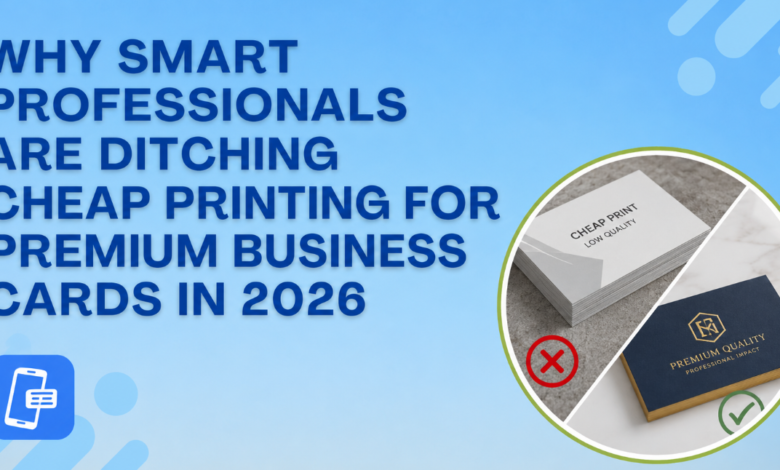
Your business card does something no LinkedIn connection request can it puts something physical in someone’s hand. That moment of touch, that weight and texture, forms an opinion about you before they’ve read a single word. Research from the print industry consistently shows that nearly 72% of people judge a company’s credibility by the quality of its card. Yet most professionals spend hours perfecting the design and 30 seconds choosing where to print it.
This guide fixes that. Whether you’re a freelancer ordering your first 100 cards or a sales team restocking 2,000, here’s exactly what separates a forgettable card from one that actually gets kept.
1. Paper Weight and Card Stock
Before someone reads your name, they feel your card. This is the single most important variable and the one buyers most frequently get wrong by defaulting to whatever the cheapest option is.
The modern professional starting point is 18pt cardstock. 20pt and 24pt are common for premium options, while ultra-thick builds go higher still. A good rule of thumb: if you hand out large volumes at trade shows or events, 14–16pt works fine. If you hand out fewer cards in high-value, one-on-one moments like a client pitch, a board meeting, or a job interview, go 18 pt or above. For most businesses, 16pt cardstock offers the best balance of durability, professional feel, and affordability
Beyond thickness, pay attention to the stock type itself. Cotton fiber stocks have a natural softness no standard card can replicate. Recycled kraft gives an organic, tactile feel that suits eco-conscious brands. Metallic pearl adds shimmer without going over the top.
2. Print Resolution
A great design printed at low resolution looks worse than a mediocre design printed correctly. The industry standard for print is 300 DPI (dots per inch). Anything lower will almost certainly look pixelated and fuzzy up close. Always confirm that your printing service requires and accepts 300 DPI files. If a provider doesn’t mention DPI requirements anywhere in their upload process, that’s a red flag.
Your logo should always be supplied as a vector file — AI, EPS, or SVG — so it scales without any loss in quality. Fonts should be at least 7pt to ensure legibility in print; smaller fonts may look fine on screen but fail on press.
3. Finish Options
The finish is what people feel after the weight registers. Each one sends a different signal about your brand.
Matte gives a low-sheen, sophisticated look that’s easy to write on. It’s ideal for consultants, lawyers, and minimalist brands. Gloss makes colors pop and photographs vibrant, which is best for photographers, designers, or bold visual brands. Soft touch, also called velvet lamination, has a velvety feel that’s hard to put down. Soft-touch business cards have a shine-free, luxury velvety coating that makes people want to hang on to your card.
Premium finishes like Spot UV coating (gloss accents on a matte card), foil stamping, and raised ink add tactile drama for brands where that investment makes sense. Expect longer turnaround times for these specialty options.
4. Turnaround Time and Rush Options
Most standard professional business card printing takes 5–10 business days from order to delivery. If you have a conference next Wednesday, that’s a problem.
Same-day production is available on select stocks with a cutoff time, and next-day production covers a wider stock range. Specialty finishes like foil and letterpress require longer lead times. Before you order, check whether rush options apply to your chosen stock and finish some providers’ fast turnaround on standard stocks only, then bury the exceptions in the fine print.
Also check shipping separately from production. A printer might produce your cards in 24 hours but ship them in 5–7 days economy by default. Read the full delivery timeline, not just the production time.
5. Proofing and File Review Process
A printing service that reviews your files before pressing print is worth paying slightly more for. Common errors, incorrect bleed setup, RGB files instead of CMYK, and text too close to the trim line are invisible on screen and devastating in print.
Production teams that review every file before printing and contact you if anything needs adjusting (resolution, color profile, bleed setup) can save you an entire reorder. Look for this explicitly in the provider’s process, not as an upsell, but as a standard part of their workflow.
When designing, always work with the printer’s bleed and safe-zone templates. For a standard US card (3.5 x 2 inches), the bleed size is 3.61 x 2.11 inches, and the safe printing area — where all text and logos should sit — is 3.36 x 1.86 inches.
6. Quantity Flexibility and Reorder Experience
For most professionals, 250 to 500 cards is the sweet spot. New businesses or anyone with frequently changing contact details should stay at 100–250 to avoid waste. Sales teams, real estate agents, and event-heavy roles usually go from 500 to 1,000.
Check whether the provider stores your design for quick reorders. When a new team member joins, you should be able to duplicate a template, update the name and title, and check out in minutes. Providers that don’t save your designs force you to restart from scratch every time — a real friction point for growing teams.
7. Quality Guarantee
Any reputable printing service should stand behind its output. Look for a satisfaction guarantee or reprint policy stated clearly not hidden in the terms. MOO, for example, backs orders with a customer-friendly quality promise; if anything arrives off-spec, they work to make it right. This policy alone is a strong signal of a printer’s confidence in their own quality standards.
One More Thing: Physical + Digital
In 2026, the smartest business card strategy pairs your printed card with a digital one. A QR code on the back of your physical card that opens a digital profile means your card never goes out of date. You update the digital side, and the printed card stays the same. If you haven’t set up your digital card yet, you can explore free business card designs organized by industry to start with a template that works for both formats, then pair it with the ShareEcard digital card creator to complete the set.
Frequently Asked Questions
What paper weight should business cards be printed on?
For most professionals, 16–18 pt cardstock is the recommended starting point. It feels substantial without being unwieldy in wallets or cardholders. Premium or luxury contexts warrant 20pt and above.
Is matte or gloss better for business cards?
Matte suits consultants, legal professionals, and minimalist brands — it’s easier to read and easier to write on. Gloss works best for visual-heavy designs, photography, and brands that want vivid color. Soft touch is the 2026 favorite for a premium feel without the shine.
What does 300 DPI mean for business card printing?
DPI stands for dots per inch it measures print resolution. At 300 DPI, images and text appear sharp and crisp in print. Lower DPI files produce blurry, pixelated results. Always supply your files at 300 DPI, and supply logos in vector format (PDF, AI, or SVG).
How long does professional business card printing take?
Standard turnaround is 5–10 business days, including shipping. Rush options can reduce production to 24 hours on most standard stocks, with same-day available at some providers if you order before a morning cutoff.
How many business cards should I order?
250–500 is the right range for most professionals. Order fewer (100–250) if your contact details change often. Order more (500–1,000+) if you attend frequent events, work in real estate, or manage a sales team.
What is bleed in business card printing?
Bleed is the extra margin (typically 0.125 inches on each side) added outside your final card dimensions before printing. It ensures that background colors and edge designs extend fully to the cut line, preventing unwanted white borders after trimming.