Why a VPN Should Be on Every Traveler’s Digital Checklist
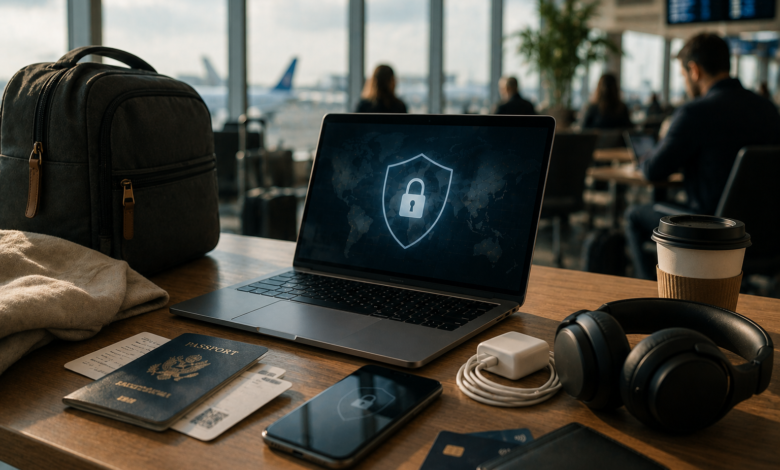
Most travelers remember the obvious things: passport, charger, booking confirmation, bank card, headphones, and maybe a backup outfit in the carry-on. But the modern travel checklist is no longer only about physical items. A lot of the trip now depends on digital access.
Flights are managed through apps. Hotels send confirmation emails. Maps guide the route from the airport. Banking apps help check spending. Messaging apps keep family updated. Streaming platforms fill long waits. Even restaurant bookings, ride-hailing, translation, and train tickets often depend on a stable internet connection.
That is why online privacy deserves a place on the travel checklist too.
Travel makes people use networks they would not normally trust at home: airport Wi-Fi, hotel Wi-Fi, cafe Wi-Fi, train station Wi-Fi, and sometimes shared networks in rental apartments. These networks are convenient, but they are not always private. For travelers, a VPN can be a useful tool for safer browsing and more flexible internet access while away from home.
Travel Has Become More Digital Than Ever
A trip used to begin with printed tickets and a paper map. Now, many travelers depend almost entirely on their phones.
Boarding passes are stored in wallet apps. Hotel addresses are saved in email. Ride-share apps need location access. Translation apps help with menus and signs. Payment apps and mobile banking are used on the go. Cloud storage may hold passport scans, travel documents, and emergency contacts.
This convenience is helpful, but it also means a lost connection or unsafe network can create real stress. If you are abroad and need to check a booking, reset a password, contact your bank, or open a map, you may not have the luxury of waiting until you are back on a private home network.
The more travel becomes digital, the more important it is to think about how you connect.
Public Wi-Fi Is Useful, But It Deserves Caution
Public Wi-Fi is one of the biggest reasons travelers should think about privacy before leaving home.
Airports, hotels, cafes, restaurants, and shopping centers often provide free Wi-Fi. It is convenient, especially when mobile data is expensive or unreliable. But travelers rarely know how these networks are managed, who else is connected, or whether the network name is legitimate.
A hotel network may be safe enough for casual browsing, but it is still not the same as your home network. An airport network may be crowded with thousands of strangers. A cafe network may not have strong security settings. In busy travel spots, fake Wi-Fi networks can also be created to look official.
A no-registration free VPN can be useful for travelers who want basic privacy protection before connecting to hotel or airport Wi-Fi. It should not replace common sense, but it can add a helpful privacy layer when using unfamiliar networks.
Install Privacy Tools Before the Trip
One mistake travelers make is waiting until they need a tool before installing it.
That is rarely ideal. Airport Wi-Fi may be slow. App stores may not load properly in a new country. Some services may behave differently depending on location. You may also be tired, rushed, or trying to solve a problem quickly.
It is better to prepare before the trip.
Install the apps you need while you are still at home. Log in. Check that they work. Make sure your password manager, banking apps, airline apps, maps, cloud storage, and privacy tools are updated. If you plan to use a VPN, test it before traveling so you know how to connect, change servers, and turn it off if needed.
A little preparation can prevent a lot of stress later.
Protect the Accounts That Matter Most
Travel often creates unusual login situations.
You may log into email from a hotel computer. You may open your banking app from another country. You may receive security alerts because your location changed. You may need to access work tools from a laptop on a shared network.
That makes account security especially important.
Before traveling, turn on two-factor authentication for major accounts, especially email, banking, cloud storage, and work platforms. Use strong, unique passwords. Avoid saving passwords on shared computers. Be careful when using public charging stations or unknown USB ports. Keep backup codes in a safe place, not only inside the account they are meant to recover.
A VPN helps with connection privacy, but account safety still depends on good habits.
Think About Location-Based Access
Travel can also change what you can access online.
Some websites, streaming services, news platforms, banking systems, and apps may behave differently depending on where you are. Sometimes content is unavailable. Sometimes a login attempt triggers extra verification. Sometimes a service redirects you to a local version that is less useful for your needs.
A VPN may help travelers browse with more location flexibility, but it should be used responsibly. Different platforms have their own rules, and not every service allows location changes in the same way. The goal should not be to break rules; it should be to maintain safer, more consistent access when traveling.
For ordinary travelers, the most practical benefit is often simple: feeling less exposed when using public networks and having more control over how they connect online.
Do Not Forget Device Safety
A digital travel checklist should include the device itself.
Phones and laptops are easy to lose when moving through airports, trains, hotels, and restaurants. Before traveling, make sure your devices have a lock screen, updated software, and tracking features enabled. Back up important files. Remove apps you do not need. Avoid carrying sensitive documents unless necessary.
If you store passport scans, visa documents, or work files on your device, keep them protected. Use encrypted storage where possible. Do not leave your laptop open in public spaces. Avoid letting browsers auto-fill sensitive information on shared or borrowed devices.
Travel privacy is not only about the internet connection. It is also about what happens if the device is lost, borrowed, or accessed by someone else.
Be Careful With Travel Scams
Travelers are often busy, distracted, and trying to solve problems quickly. That makes them easier targets for scams.
Fake booking emails, fake airline messages, fake delivery notices, fake taxi apps, and fake Wi-Fi login pages can all create trouble. A message may look urgent: your flight changed, your hotel payment failed, your account was locked, or your luggage update is available.
Slow down before clicking. Check the sender. Open the official app instead of following a link. Type the website manually if the message feels suspicious. Be especially careful with payment pages and login forms.
Good travel security is not about being paranoid. It is about not letting stress make decisions for you.
A Simple Digital Travel Checklist
Before your next trip, add a few digital items to the usual packing list:
Update your phone, laptop, browser, and important apps. Turn on two-factor authentication for key accounts. Back up important files. Save offline maps and booking details. Install and test privacy tools before departure. Review app permissions. Use public Wi-Fi carefully. Keep devices locked. Avoid suspicious links and fake login pages.
These steps do not take long, but they can make a trip smoother and safer.
Travel is supposed to feel exciting, not stressful. The right digital habits help keep it that way. A charger keeps your phone alive, a passport gets you across borders, and a little privacy preparation helps protect the online parts of your journey.
In modern travel, that belongs on the checklist too.