How a Free Text Compare Tool Helps Writers Catch Changes Faster
What Constitutes a Text Comparison Tool?
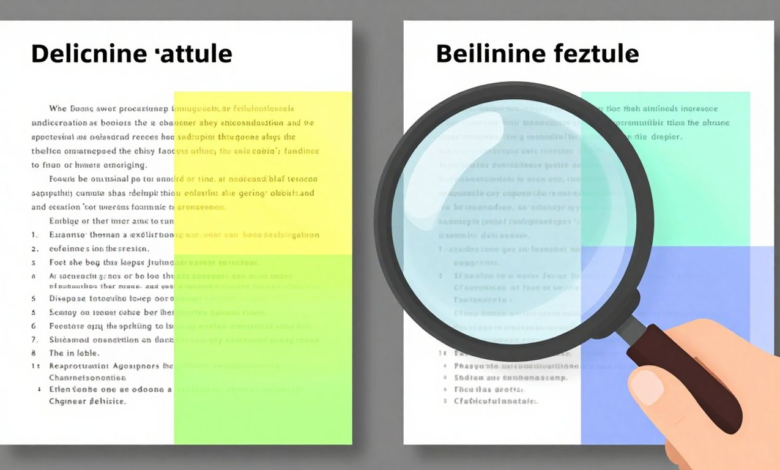
A text comparison tool is a digital utility designed to identify and highlight differences between two pieces of text. Think of it as a super-powered proofreader that doesn’t miss a beat. It takes two versions of a document, or even just two blocks of text, and shows exactly what’s been added, removed, or changed. This makes tracking revisions incredibly straightforward.
These tools work by analyzing the content word by word, or sometimes character by character, to pinpoint any discrepancies. The primary goal is to provide a clear, visual representation of changes, making it easy for users to see the evolution of a document at a glance. It’s a simple concept, but its impact on workflow can be huge.
Essentially, a text comparison tool acts as a digital magnifying glass for your words. It helps you see the forest and the trees, ensuring no detail is overlooked. It’s a practical solution for anyone who deals with text and needs to be sure about its accuracy.
Core Functionality for Writers
For writers, a text comparison tool is like having a second pair of eyes that never gets tired. Its core function is to show you precisely where edits have been made. This is invaluable when you’re working on drafts, collaborating with others, or simply reviewing your own work after a break.
The tool typically presents the two texts side-by-side, with differences clearly marked. Additions might appear in green, deletions in red, and modified sections highlighted differently. This visual feedback loop is incredibly efficient for spotting changes quickly. It cuts down on the time spent manually hunting for edits.
This functionality is key to maintaining the integrity of a piece of writing. It helps writers confirm that all intended changes were made and that no unintended alterations slipped in. A good text comparison tool simplifies the revision process significantly.
Accessibility and Ease of Use
One of the biggest advantages of many free text comparison tools is their accessibility. You don’t need to be a tech wizard to use them. Most online versions require nothing more than pasting your text into designated boxes and clicking a button.
This simplicity means writers can use these tools anywhere with an internet connection, often without even needing to sign up or download any software. This makes them incredibly convenient for quick checks on the go. The focus is on getting the job done without unnecessary steps.
The straightforward nature of these tools means they can be integrated into almost any writing workflow without adding complexity. Their ease of use is a major reason why they are so popular among professionals and hobbyists alike.
This ease of use extends to the output as well. The visual highlighting and side-by-side views make understanding the differences intuitive. It’s designed to be user-friendly, allowing writers to focus on the content rather than figuring out how the tool works.
Streamlining the Writing and Editing Process
Identifying Revisions and Edits
When working on any piece of writing, tracking changes is a big deal. A free text compare tool makes this process much simpler. It lets you see exactly what’s been added, removed, or changed between two versions of a document. This is super helpful for writers who are constantly revising their work or for editors who need to check an author’s edits.
The ability to quickly spot revisions means less time spent hunting for differences. Instead of reading through everything word by word, you get a clear, highlighted view of all the modifications. This text comparison process saves a lot of mental energy and reduces the chance of missing something important.
It’s like having a second pair of eyes, but way faster and more accurate. You can focus on the content itself, knowing the tool has handled the heavy lifting of change detection.
Ensuring Document Consistency
Keeping documents consistent, especially over multiple drafts or when different people contribute, can be a real headache. A text compare tool helps keep everything in line. It shows you if the tone, phrasing, or specific details have drifted from one version to another.
This is particularly important for technical documents, legal papers, or any writing that needs to adhere to strict guidelines. A free text compare tool acts as a safeguard, making sure that key information remains intact and that there are no accidental contradictions.
Maintaining consistency isn’t just about looking good; it’s about clarity and reliability. A text compare tool helps achieve both.
Facilitating Collaboration
Working with others on a document often means multiple rounds of edits and feedback. Trying to merge all these changes manually can get messy fast. A text comparison tool simplifies this by providing a clear overview of all contributions.
When team members can easily see what changes have been made, it leads to smoother communication and fewer misunderstandings. It helps everyone stay on the same page, literally. This makes the whole collaborative writing process much more efficient.
Here’s how it helps collaboration:
- Quickly see who changed what.
- Easily integrate feedback from multiple sources.
- Reduce the time spent reconciling different versions.
Using a text compare tool means less confusion and more productive teamwork.
Key Features of Effective Text Comparison Tools
When looking for a tool to compare text, a few features really make a difference. These aren’t just bells and whistles; they’re the things that actually help writers get their work done faster and better. A good text comparison tool should make spotting changes simple, not add to the confusion.
Visual Highlighting of Differences
This is probably the most important part. You need to see exactly where the text has changed. A good tool will highlight added words in one color, like green, and removed words in another, like red. This visual cue makes it super easy to scan through and see what’s new or what’s gone. It’s like having a built-in editor pointing out every single edit. Without this, you’re just staring at two blocks of text, trying to find differences yourself, which is a pain.
Side-by-Side Comparison Views
Seeing the two versions of your text next to each other is a game-changer. It lets you directly compare lines and sentences without having to scroll back and forth. Most free text compare tools offer this. You can see the original on one side and the revised version on the other, with all the differences clearly marked. This layout helps you quickly verify that the changes made are the ones you intended.
Support for Multiple File Formats
While not every free tool does this, the best ones can handle more than just plain text. If you work with different types of documents, like Word files or PDFs, a tool that can compare these directly is incredibly useful. It saves you the step of copying and pasting text, which can sometimes mess up formatting. Being able to compare different file formats means you can use the same text comparison method across all your projects, no matter the document type.
Leveraging a Free Text Compare Tool for Accuracy
Reducing the Risk of Errors
When working with text, mistakes can easily creep in. A free text compare tool acts as a safety net, helping writers catch these errors before they become problems. It’s like having a second pair of eyes, but one that never gets tired or misses a detail. This is especially helpful when dealing with long documents or when making many edits.
The tool highlights exactly what has been added, removed, or changed. This visual feedback makes it simple to spot typos, grammatical slip-ups, or accidental deletions. By using a text compare tool regularly, writers can significantly lower the chance of submitting work with errors. It’s a straightforward way to boost the quality of any written piece.
Relying on a text compare tool means less time spent hunting for mistakes and more time focusing on the actual writing. It’s a smart approach to maintaining high standards.
Verifying Textual Integrity
Ensuring that your text is exactly as intended is vital, especially for important documents. Whether it’s a legal contract, a technical manual, or a creative piece, the words matter. A free text compare tool helps writers confirm that the final version matches their intended content, preserving the integrity of their message. This verification process is key to maintaining trust and clarity with readers.
Using a text compare tool allows for a quick check to see if any unintended alterations have occurred. It provides a clear, side-by-side view of two versions, making any discrepancies obvious. This direct comparison is far more reliable than trying to spot changes by reading through documents multiple times.
- Check for accidental copy-paste errors.
- Confirm that all required phrases or data points are present.
- Verify that specific formatting hasn’t altered the meaning.
Maintaining Version Control
Keeping track of different versions of a document can get messy. A free text compare tool simplifies this process, making it easy to see how a document has evolved over time. This is incredibly useful for projects with multiple drafts or when collaborating with others. Knowing exactly what changed between versions helps prevent confusion and ensures everyone is working with the latest information.
When you compare two versions of a document using a text compare tool, you get a clear history of edits. This visual record is invaluable for understanding the progression of the text. It helps in making informed decisions about which changes to keep or revert, thus supporting effective version control.
| Feature | Benefit for Version Control |
| Highlighting | Pinpoints specific changes |
| Side-by-Side View | Shows differences clearly |
| Speed | Quick comparison of drafts |
Choosing the Right Free Text Compare Tool
Online vs. Offline Comparison
When you’re looking for a free text compare tool, one of the first things to consider is whether you want to use an online service or an offline application. Online tools are super convenient. You just open your web browser, paste your text, and boom – you see the differences. No downloads, no installations, just quick results. This is great for when you need to compare something fast and don’t want any fuss.
However, if you’re dealing with really sensitive information, an offline tool might be a better bet. These programs run on your computer, so your text never leaves your machine. This gives you an extra layer of security, which is important if you’re working with confidential documents or personal data. Think about what kind of text you’ll be comparing most often to decide which type of free text compare tool fits your needs best.
It’s a trade-off between convenience and security. For most everyday writing tasks, an online tool is perfectly fine and much easier to access. But for anything that needs to stay private, an offline option provides peace of mind. Always check the tool’s privacy policy, especially for online services, to know how they handle your data.
Security and Data Privacy
Security and data privacy are big deals, especially when using a free text compare tool. You’re often pasting text into a website, and you need to trust that it’s not being stored or shared. Some online tools explicitly state that they don’t save your text, which is good. They might use an encrypted connection to send your text for comparison, but it’s still worth being cautious.
If you’re comparing anything sensitive, like legal documents, personal essays, or business plans, you really want to be sure about where your words are going. A tool that requires no sign-up and doesn’t store your input is generally safer. Always read the terms of service or privacy policy if you can find it. It might seem like a small detail, but it can save you a lot of trouble down the line.
Ultimately, the best free text compare tool for you will be one that you feel comfortable using. If you have any doubts about how your data is handled, it’s probably best to look for an alternative or consider an offline application. Your peace of mind is worth more than a few minutes saved.
User-Friendly Interfaces
When you’re trying to catch changes quickly, the last thing you want is a complicated interface. A good free text compare tool should be straightforward. You should be able to paste your texts, hit a button, and see the differences clearly highlighted. This means easy-to-understand visual cues, like different colors for added or deleted text.
Look for tools that offer a side-by-side view. This layout makes it really simple to scan through both versions of your text and spot where things have changed. If the tool has too many options or confusing menus, it defeats the purpose of being a quick and easy helper. The goal is to save time, not spend it figuring out how to use the software.
Most people just want a tool that works without a learning curve. A clean design and intuitive navigation are key. If a free text compare tool feels clunky or difficult to use, you’re less likely to use it, even if it’s powerful. Simplicity often wins when it comes to these kinds of utilities.
Beyond Basic Comparison: Advanced Capabilities
Plagiarism Detection Assistance
Free text compare tools can offer a helping hand when it comes to spotting potential plagiarism. While not a replacement for dedicated plagiarism checkers, they can quickly highlight similarities between two documents. This initial scan can save a lot of time by pointing out sections that might need a closer look. It’s a good first step to ensure originality.
Keyword Density Analysis
Some advanced free text compare tools go beyond just showing differences. They can also analyze keyword density. This means you can see how often specific words or phrases appear in different texts. This is super helpful for SEO or when comparing different versions of marketing copy to see what’s being emphasized.
Understanding keyword density helps writers tailor their content for search engines and target audiences more effectively.
URL Comparison Features
Ever wondered how two web pages stack up against each other? Certain free text compare tools allow you to input URLs and compare the content directly. This is great for competitive analysis or checking for updates on a specific page over time. It makes comparing online content much simpler than manual copy-pasting.
Wrapping Up
So, there you have it. Free text comparison tools are pretty handy for anyone who works with words. They make it way easier to see what’s changed between two versions of a document, saving you time and helping you catch mistakes. Whether you’re a writer, an editor, or just someone who needs to keep track of text, giving one of these tools a try is a smart move. It really does make a difference in how quickly and accurately you can get your work done.