How Kids Use Android Settings to Hide Their Activity (And How to Detect It)

Kids don’t always need special apps to hide what they’re doing. In many cases, Android itself provides enough built-in tools to make activity less visible. Messages can disappear, apps can be hidden, and usage can be masked in ways that are not obvious during a quick check. For parents, this creates a challenge.
You may look at the phone and see nothing unusual — but that doesn’t always mean nothing is happening. Understanding these built-in features is the first step toward improving online safety for kids. And more importantly, knowing how to detect these patterns is what really matters — especially when using tools like the uMobix parental control app for Android.
Why Android Makes It Easy to Hide Activity
Android is designed for flexibility and privacy. That’s useful for adults — but it also means kids can easily use certain settings to reduce visibility. They don’t need technical skills. Most of these options are just a few taps away.
Common built-in features used to hide activity:
- Notification controls
- App permissions
- Private folders or secure apps
- Browser settings
- Multiple user profiles
A basic parental control app often doesn’t account for how these features are used in combination.
Hidden Notifications: The Simplest Trick
One of the easiest ways to hide activity is by controlling notifications. Kids can:
- Turn off previews for messages
- Hide notifications on the lock screen
- Disable alerts for specific apps
This means messages still exist — but parents never see them appear. Without deeper parental phone monitoring, these interactions remain invisible.
App Hiding and Renaming
Android allows apps to be hidden, disabled, or even disguised. Some launchers let users:
- Hide apps from the home screen
- Rename apps to something less obvious
- Move apps into folders
This makes it easy to keep certain platforms out of sight. A quick phone check may not reveal anything unusual — even if the app is actively used.
Private Browsing and History Deletion
Browsers on Android include built-in privacy tools. Kids can:
- Use incognito mode
- Delete browsing history instantly
- Clear cache and stored data
This removes traces of activity completely. A standard parental control app that relies only on visible history will miss this entirely.
Using Multiple Accounts or Profiles
Some Android devices support multiple users or guest profiles. This allows kids to:
- Switch to another profile for certain activity
- Keep apps separate from the main account
- Hide usage under a different environment
When parents check the phone, they may only see the primary profile — not the one where activity happens. This is a common blind spot in basic parental phone monitoring.
Deleting Messages and Call Logs
Another simple method is removing communication history. Kids can:
- Delete SMS messages
- Clear call logs
- Remove conversations from apps
Once deleted, many tools cannot recover this data. This is where advanced monitoring becomes necessary.
Why Basic Monitoring Often Fails
Many parents rely on simple tools or manual checks. But these methods have clear limitations:
- They show only current data
- They miss deleted or hidden activity
- They don’t capture real-time behavior
As a result, parents may believe everything is fine — when key details are missing. A basic parental control app is often not enough to close these gaps.
How to Detect Hidden Activity Patterns
Even when activity is hidden, behavior often leaves clues. Parents can look for:
- Frequent clearing of history
- Disabled notifications on important apps
- Sudden changes in phone usage habits
- Increased secrecy around the device
- Multiple user profiles or unknown apps
These signs don’t always indicate a problem — but they suggest that more visibility may be needed.
How uMobix Helps Close the Visibility Gap
uMobix is designed to address exactly these challenges. Instead of relying only on visible data, it captures activity as it happens and organizes it into a clear structure. With uMobix, parents can:
- Monitor messages even if they are later deleted
- Track activity across multiple apps
- View screenshots of real-time usage
- Detect patterns that are not visible through settings alone
This makes it more effective than a basic parental control app for android.
Key Advantages Over Standard Tools
Many tools miss hidden activity because they depend on what is stored on the device. The uMobix parental control app for Android works differently by focusing on continuous monitoring.
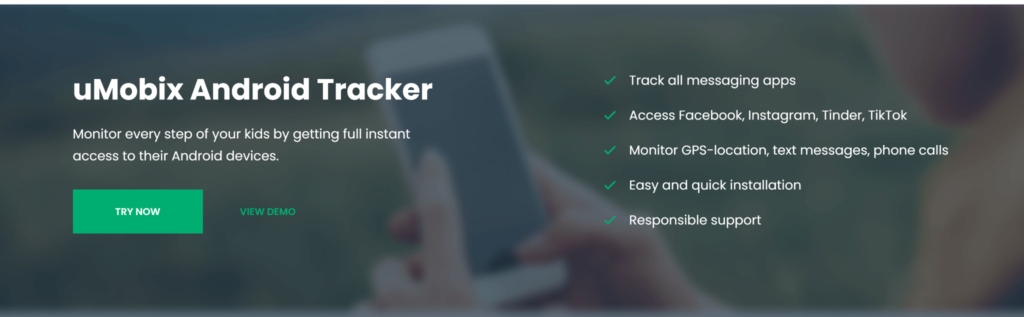
Key advantages include:
- Access to broader activity data
- Faster updates
- Better visibility across apps
- More consistent tracking
This reduces the risk of missing important information.
Supporting Online Safety Without Overreaction
Detecting hidden activity doesn’t mean assuming the worst. The goal is awareness, not control. A well-used parental phone monitoring approach helps parents:
- Understand behavior over time
- Identify changes early
- Respond calmly instead of reacting quickly
Tools should support conversations, not replace them.
The Bigger Picture: Digital Awareness
Kids adapt quickly to technology. As new features appear, new ways to hide activity also emerge. That’s why static solutions are not enough. Parents need tools that evolve with behavior and provide consistent visibility. A modern parental control app should reflect how devices are actually used today — not just how they were used before.
Verdict
Android settings provide many ways for kids to hide activity without using external tools. From hidden notifications to deleted messages and multiple profiles, these features create significant visibility gaps.
Basic monitoring methods often fail to detect these behaviors, leaving parents with incomplete information. Recognizing patterns and using more advanced tools becomes essential.
The uMobix parental control app for Android helps close these gaps by providing deeper insight into real-time activity and behavior patterns. For families focused on online safety for kids, this level of visibility makes a meaningful difference.