The Smarter Way to Shop for Glasses: AI-Powered Style Previews with Kimg AI
Choosing new glasses is harder than it looks — literally. What seems stylish on a display stand can feel completely wrong once it’s on your face. That’s where Kimg AI changes the game. By letting you visualize frames on your own photo before making a purchase, it removes the guesswork and replaces it with confidence.
I. Why Trying On Glasses Is Still Broken
Most people have been there: you spend 45 minutes at the optician, try on a dozen frames, and still walk out unsure. Online shopping is even worse — you’re choosing based on a model with a completely different face shape.
- Frame shape interacts differently with every face — what works on an oval face can overpower a heart-shaped one.
- Store lighting is often flattering in ways that don’t reflect how glasses look in natural daylight.
- Returning glasses after a prescription has been cut is costly and time-consuming.
Visualizing your look before committing is the single most practical solution — and that’s exactly what Kimg AI is built for.
II. What Kimg AI Actually Does
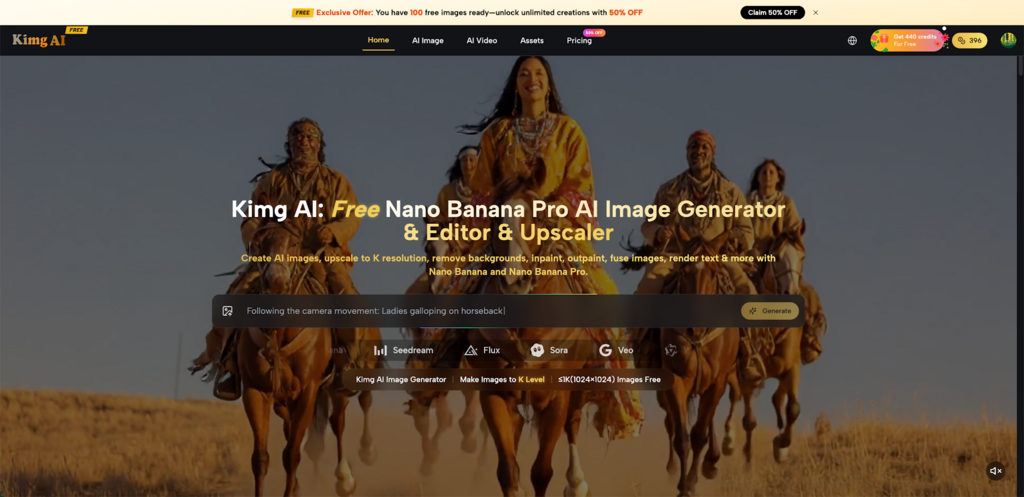
Kimg AI is an AI image generation and transformation tool that takes your photos and reimagines them based on your prompts and reference inputs. It’s not a simple filter app — it uses advanced models to produce high-fidelity, photorealistic results.
- Upload a clear photo of yourself and describe the glasses style you want to try.
- The AI preserves your facial features, skin tone, and expression while rendering the new frames realistically.
- Output images reach up to 4K resolution, so you can zoom in and actually examine how the frames sit on your nose bridge, how wide they extend past your temples, and whether the color complements your complexion.
For glasses visualization specifically, that level of detail matters. A 4K render lets you catch things a blurry mock-up never would.
III. The Models Behind the Results
Not all AI image tools produce the same quality, and the choice of model affects how accurate and natural your glasses visualization will look.
- Nano Banana Pro — Maximum Realism
Nano Banana Pro is the flagship model on Kimg AI, built for professionals who need precise, photorealistic output. For glasses try-ons, it excels at rendering fine details — the glint of a metal frame, the translucency of acetate, the subtle shadow a nose pad casts on skin. Images generated with Nano Banana Pro AI can reach 4K resolution, making them suitable even for close-up comparisons.
- Renders micro-details like hinge screws, frame thickness, and lens coating with accuracy.
- Cinema-grade color depth means frame colors appear true to life, not digitally oversaturated.
- Handles complex prompts well, so you can be specific: “thin titanium oval frames with anti-reflective lenses.”
- Nano Banana — Reliable Everyday Use
The standard Nano Banana model delivers strong hyper-realistic results for most visualization tasks without needing the full power of Nano Banana Pro.
- Supports up to 4 reference images simultaneously — useful for uploading front and side face photos alongside frame inspiration shots.
- Strong style transfer means it can accurately interpret reference images of specific frame designs.
- Good choice when you want fast, consistent results across multiple frame options.
- Flux — Precision Editing
Flux is particularly useful when you already have a good base image and want to swap or adjust specific elements — like changing just the frame color or shape without altering anything else.
- Context-aware editing preserves everything around the glasses area while modifying only the frames.
- Ideal for A/B comparisons: keep the same photo but test black vs. tortoiseshell, round vs. rectangular.
- Delivers clean, sharp output that holds up at high resolution.
IV. How to Visualize Glasses Styles Step by Step
The process on Kimg AI is straightforward. No design background required.
- Step 1: Take or select a clear, well-lit photo of yourself facing forward. Natural light works best — avoid harsh shadows across your face.
- Step 2: Go to Kimg AI and upload your photo. You can upload up to 8 reference images, so consider adding photos of frames you like alongside your own photo.
- Step 3: Write a prompt describing the exact frames you want to visualize — frame shape, material, color, size, and any other details.
- Step 4: Select a model. For the most realistic output, Nano Banana Pro is the recommended choice.
- Step 5: Generate and compare. Run multiple variations — different shapes, different colors — and view the 4K results side by side.
The whole process takes minutes per variation, which means you can test ten different frame styles in the time it would take to drive to an optician.
V. What to Look for When Comparing Results
Once you have your visualizations, knowing what to evaluate makes the comparison useful rather than overwhelming.
- Face balance: Do the frames draw attention to your best features, or do they create visual heaviness in the wrong areas?
- Frame-to-face proportion: Oversized frames on a narrow face, or small frames on a broader face, rarely work — the high-resolution output from Kimg AI makes this immediately visible.
- Color harmony: Warm-toned frames (tortoiseshell, gold, warm brown) tend to suit warm complexions; cool tones (silver, black, blue-grey) complement cooler undertones. Test both.
- Lifestyle fit: Thin wire frames look polished in professional settings but may feel too delicate for active lifestyles. Bold acetate frames make a statement but require confidence to carry daily.
VI. Beyond Glasses — What Else Kimg AI Can Visualize
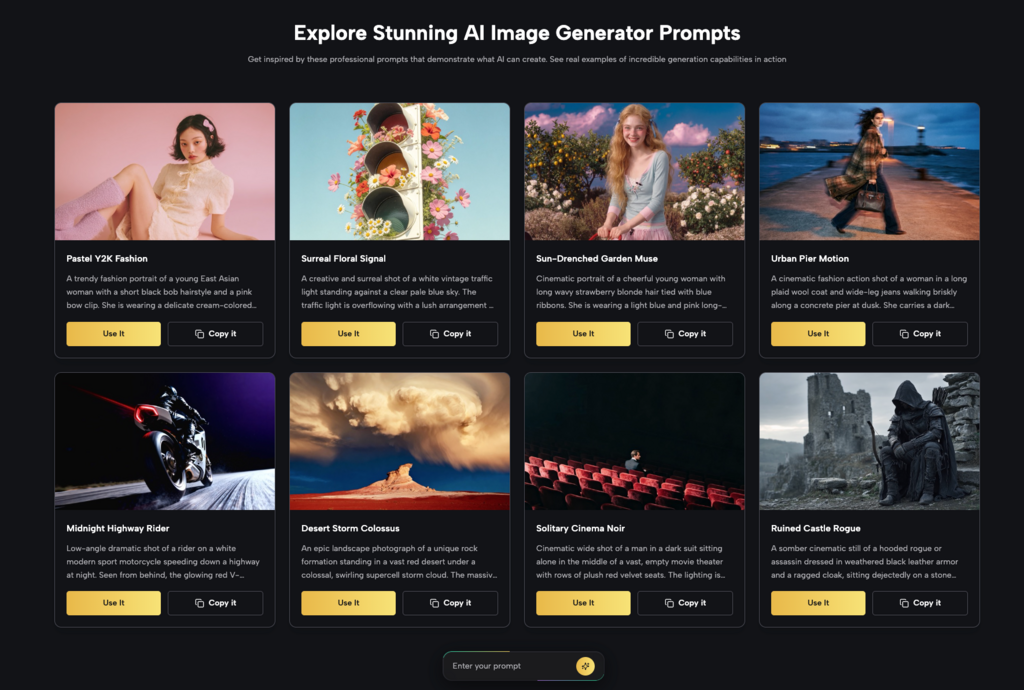
While this article focuses on glasses, the same workflow applies to other accessories and style decisions that are hard to evaluate without trying on.
- Hair color changes: Upload a portrait and prompt a different hair color — a much lower-stakes way to preview before a salon visit.
- Outfit visualization: Upload a photo in neutral clothing and describe a specific outfit to see how different styles read on your body proportions.
- Makeup and aesthetic looks: Test bold makeup styles or entirely different aesthetic directions (minimal, editorial, classic) without committing to anything.
Kimg AI‘s ability to handle up to 8 reference images makes these explorations highly specific. You’re not just getting a generic style overlay — you’re getting a result that accounts for your actual appearance.
Conclusion
Buying glasses without visualizing them first is a bit like buying furniture without measuring your room — technically possible, but unnecessarily risky. Kimg AI gives anyone the tools to make that decision with clear visual evidence rather than hope. With models like Nano Banana Pro delivering 4K photorealistic output and support for up to 8 reference images, the results are detailed enough to actually inform a real purchase decision. The next time a new frame catches your eye, there’s no reason not to see exactly how it looks on your face before you buy.