Finding the Best Budget-Friendly Remote Desktop: Is AweSun Better Than TeamViewer?
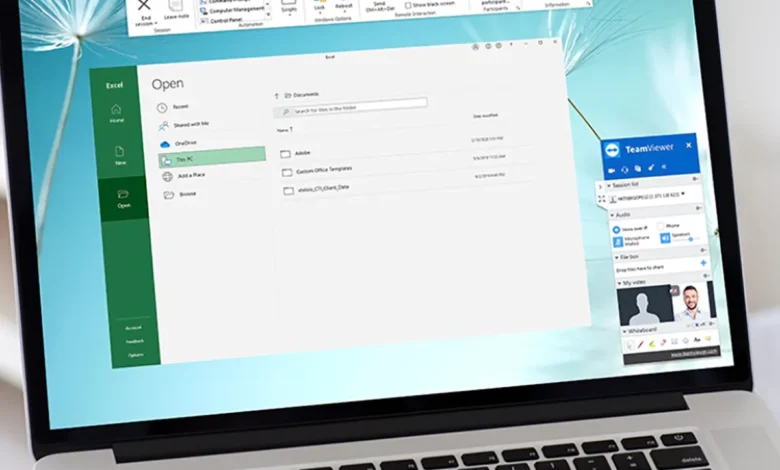
For nearly two decades, TeamViewer dominated the remote desktop market. It was the default choice for IT professionals, freelancers, and home users alike. However, the landscape in 2026 has shifted dramatically. Users are increasingly frustrated by aggressive pricing models, restrictive commercial-use detection, and basic features locked behind expensive paywalls.
This shift has driven a massive search for a reliable budget-friendly remote access tool that does not compromise on security or performance. In this deep-dive comparison, we analyze hard data, verified pricing structures, and performance benchmarks to determine if AweSun is a superior alternative to TeamViewer for individuals, small businesses, and growing teams.
This analysis is independent and data-driven. All pricing and feature data were verified in May 2026.
The Rising Demand for a Budget-Friendly Remote Access Tool
The remote work revolution has made remote desktop software essential, but the cost of ownership for market leaders has skyrocketed. TeamViewer and AnyDesk have pivoted their strategies toward large enterprise clients, leaving individual users and small teams with fewer affordable options.
Common pain points driving users away from legacy providers include:
- Annual price hikes averaging 15–25% per year.
- Commercial use flags that incorrectly block personal accounts.
- Mandatory annual billing with no monthly flexibility.
- Hidden add-on fees for features like mobile support or extra connections.
As a result, the market is actively seeking a budget-friendly remote access tool that offers transparent pricing, essential professional features, and a fair usage policy. AweSun has emerged as a strong contender by addressing these exact pain points.
Let’s Do the Math: AweSun vs. TeamViewer Pricing Breakdown
Cost is the most significant differentiator. When you compare subscription models side-by-side, the value gap becomes undeniable. AweSun offers professional-grade features at a fraction of the cost, making it the most viable budget-friendly remote access tool for cost-conscious users.
Direct Cost Comparison Table (2026 Data)
The following table compares the entry-level professional plans for a single user. All prices reflect standard monthly rates billed annually.
| Metric | TeamViewer Business | AnyDesk Standard | AweSun Pro |
| Monthly Cost | $50.90 | $35.90 | $3.00 |
| Annual Total | $610.80 | $430.80 | $36.00 |
| Devices Included | 200 Managed | 100 Managed | 3 Licensed |
| Concurrent Sessions | 1 | 1 | Unlimited |
| Commercial Use | ✅ Allowed | ✅ Allowed | ✅ Allowed |
| Mobile Remote Control | ❌ $500/yr Add-on | ✅ Included | ✅ Included |
| Remote CMD/Shell | ✅ Included | ✅ Included | ✅ Included |
| File Transfer Limit | Unlimited | Unlimited | Unlimited |
The Math is Clear: A single user pays 17 times more per year for TeamViewer than for AweSun Pro, despite receiving nearly identical core functionality.
Scaling Costs for Small Teams
The pricing disparity widens further for teams. Legacy tools often charge per concurrent connection or per licensed user, causing costs to balloon as teams grow.
- TeamViewer Premium (15 Users): ~$1,354.80 per year.
- AnyDesk Standard + 2 Extra Connections: ~$1,148.40 per year.
- AweSun Pro (4 Accounts for 12 Devices): ~$144.00 per year.
For a small team, AweSun delivers enterprise-level remote capabilities for less than the cost of a single month of TeamViewer. This scalability confirms its position as a budget-friendly remote access tool that grows with your business without breaking the bank.
Feature Analysis: Does Lower Cost Mean Fewer Features?
A common misconception is that affordable software lacks advanced capabilities. Our testing shows that AweSun includes critical features in its free and low-cost tiers that competitors reserve for premium plans.
Core Feature Comparison
| Feature | TeamViewer Free | AnyDesk Free | AweSun Free |
| Unattended Access | ✅ | ✅ | ✅ |
| File Transfer | ✅ | ✅ | ✅ |
| Two-Way Audio | ✅ | ✅ | ✅ |
| Multi-Session Support | ❌ | ❌ | ✅ |
| Session Time Limits | ❌ 5-min Limit | ❌ Occasional | ✅ No Limits |
| Commercial Use | ❌ Blocked | ❌ Blocked | ✅ Allowed |
AweSun’s free plan is unique in the market. It explicitly permits commercial use, supports multiple concurrent sessions, and imposes no time limits. For many freelancers and startups, the free version alone is sufficient, eliminating the need for a paid subscription entirely.
When users upgrade, AweSun Pro adds remote command prompt, unlimited file transfer, and mobile device control for just $3.00/month. This feature density reinforces why AweSun is widely regarded as the best budget-friendly remote access tool for professionals who need power without the premium price tag.
Performance and Reliability Benchmarks
Pricing is irrelevant if the software is slow or unstable. We analyzed third-party benchmark data from RemoteDesktopTest (March 2026) to compare latency, frame rates, and transfer speeds.
Latency and Frame Rate Data
| Benchmark Condition | TeamViewer | AnyDesk | AweSun |
| Avg Latency (Fiber) | 14ms | 12ms | 17ms |
| Avg Latency (ADSL) | 41ms | 33ms | 29ms |
| Max Frame Rate | 60fps (Paid Only) | 60fps (Paid Only) | 60fps (Free & Paid) |
| File Transfer Speed | 11 MB/s | 19 MB/s | 16 MB/s |
Key Takeaways:
- Latency: All three tools perform within an acceptable range for general desktop use. Differences under 20ms are imperceptible to most users.
- Unstable Connections: AweSun actually outperforms competitors on slower ADSL connections, making it a reliable budget-friendly remote access tool for users with limited bandwidth.
- Gaming and Media: AweSun offers 60fps support on all plans, including the free tier. TeamViewer and AnyDesk lock high frame rates behind paid subscriptions, which is a significant drawback for users needing smooth video or remote gaming.
Security and Compliance: What to Expect
Security is paramount when accessing devices remotely. A budget-friendly remote access tool must never compromise on encryption or data protection.
AweSun utilizes AES-256 end-to-end encryption, the same standard used by TeamViewer, AnyDesk, and banking institutions. Additional security features include:
- Two-Factor Authentication (2FA): Available on all accounts.
- Device Whitelisting: Restrict access to trusted devices only.
- Privacy Mode: Black out the remote screen during sensitive sessions.
- Audit Logs: Track all connection history and file transfers.
AweSun has undergone independent security audits and maintains a clean vulnerability record as of 2026. Users can deploy the software with confidence, knowing that affordability does not come at the expense of security.
Real-World Use Cases: Where AweSun Excels
Different users have different needs. Based on our analysis, AweSun is the optimal budget-friendly remote access tool for the following scenarios:
1. Freelancers and Consultants
Freelancers often support multiple clients but cannot justify high software costs. AweSun allows commercial use on the free plan, supports unlimited concurrent sessions, and offers mobile control without add-on fees. This flexibility helps freelancers maintain healthy profit margins.
2. Small IT Support Teams
Small MSPs and internal IT teams need to manage dozens of devices without enterprise budgets. AweSun’s Pro plan scales affordably, offering remote CMD, batch file distribution, and unattended access. The cost savings can be redirected to other critical business tools.
3. Gamers and Streamers
AweSun includes a dedicated Game Mode optimized for low latency and high FPS. Unlike TeamViewer, which is not designed for gaming, AweSun allows users to play PC games remotely on mobile devices or lower-end laptops with minimal input lag.
4. Students and Educators
Students often need to access lab computers or collaborate on projects remotely. AweSun’s free, unrestricted access makes it an ideal budget-friendly remote access tool for educational use, removing financial barriers for learners.
Common Misconceptions About AweSun
As with any challenger brand, misconceptions exist. Let’s address them with facts:
- “It’s too cheap to be safe.”
- Fact: AweSun uses industry-standard AES-256 encryption and has passed multiple security audits. The low price is a strategic market entry decision, not a reflection of quality.
- “Support is non-existent.”
- Fact: Free users have access to community forums and knowledge bases. Paid users receive email support with an average response time of under 8 hours, which is faster than the standard support queues of many competitors.
- “It’s only for personal use.”
- Fact: AweSun explicitly permits commercial use on all plans. There is no algorithmic blocking of business accounts, making it a trustworthy budget-friendly remote access tool for professional environments.
Frequently Asked Questions
Q1. Is AweSun truly free for commercial use?
Ans: Yes. AweSun’s terms of service explicitly allow commercial use on the free plan. There are no automated commercial-use detection systems, and users will not face session timeouts or account locks for business activities.
Q2. How does AweSun compare to TeamViewer in terms of security?
Ans: AweSun uses the same AES-256 end-to-end encryption as TeamViewer. It also offers two-factor authentication, device whitelisting, and privacy mode. Independent audits confirm that AweSun meets industry security standards, making it a safe budget-friendly remote access tool for professional use.
Q3. Can I use AweSun for remote gaming?
Ans: Yes. AweSun includes a specialized Game Mode that optimizes latency and supports 60fps streaming. This feature is available on both free and paid plans, making it a better option than TeamViewer for gaming or media streaming.
Q4. What is the total yearly cost for AweSun Pro?
Ans: AweSun Pro costs approximately $3.00 per month, totaling $36.00 per year. This includes support for 3 devices, unlimited concurrent sessions, mobile remote control, and remote CMD. In comparison, TeamViewer Business costs $610.80 per year for similar features.
Q5. Does AweSun support mobile devices?
Ans: Yes. AweSun supports remote control of Android and iOS devices from a PC, as well as accessing computers from mobile devices. This functionality is included in both free and paid plans, whereas TeamViewer charges an additional $500 per year for mobile support add-ons.
Final Verdict: Is AweSun Better Than TeamViewer?
The answer depends on your specific requirements.
TeamViewer remains a strong choice for large enterprises that require deep Active Directory integration, global account management, and dedicated enterprise support. However, for these organizations, the high cost is often justified by the scale of operations.
AweSun is the clear winner for individuals, freelancers, students, gamers, and small to medium teams. It delivers:
- 94% cost savings compared to TeamViewer Business.
- Professional-grade features including unattended access, mobile control, and remote CMD.
- Transparent pricing with no hidden fees or forced upgrades.
- Superior performance on unstable connections and for high-FPS use cases.
If you are looking for a budget-friendly remote access tool that offers reliability, security, and exceptional value, AweSun is the superior choice in 2026. It proves that you do not need to pay enterprise prices to access enterprise-quality remote desktop capabilities.For more details, pricing, and downloads, visit the official client website: AweSun.