AI Video for Beginners: How Anyone Can Turn an Idea into a Short Video
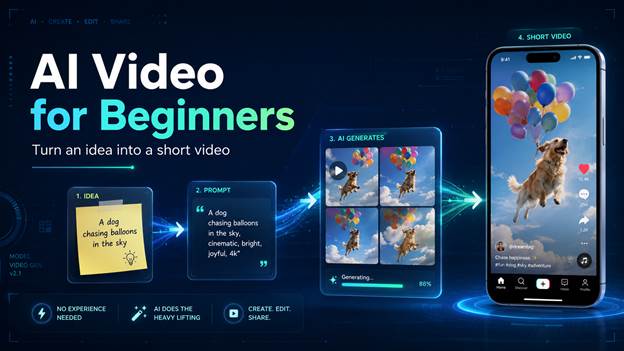
Creating videos once required expensive software, editing experience, and hours of work. Today, artificial intelligence has changed that process dramatically. AI video for beginners is no longer about learning complicated editing software or owning professional production equipment.
For beginners, the biggest challenge is often knowing where to start. You may have an idea for a product demo, social media post, tutorial, or personal story, but still feel unsure about prompts, visual style, editing, or which AI short video generator to use. This guide breaks the process into simple steps so you can create short videos with AI more confidently, even without previous video editing experience.
Part 1: Why AI Video Creation Is Becoming Popular Among Beginners
One of the biggest reasons people are turning to AI-powered video tools is the reduction in technical barriers.
Traditional video production often involves:
- Filming footage
- Learning editing software
- Adding transitions and effects
- Creating animations
- Adjusting audio and visuals
For beginners, these tasks can feel overwhelming. AI simplifies many of these steps by automating parts of the creative process.
Modern AI tools can help users:
- Generate videos from text prompts
- Convert images into animated scenes
- Create visual effects automatically
- Improve video quality
- Speed up content production
This allows creators to focus more on ideas and storytelling rather than technical editing.
Another advantage is speed. What previously took several hours can often be completed in minutes. This efficiency is particularly valuable for creators who publish content regularly and need a faster production workflow.
As AI technology continues to improve, beginners are finding it easier to compete with more experienced content creators by producing engaging videos without advanced editing skills.
Part 2: Where AIReel Fits In: A Simpler Way to Create Short Videos with AI
With so many AI video tools available, beginners often face a new challenge: choosing where to start. Some platforms focus only on video generation, while others are designed for images, effects, or editing. For new users, moving between several tools during one project can make the process feel more complicated than it needs to be.
This is where a more integrated workflow can help. Instead of learning multiple platforms before creating a first video, beginners benefit from a tool that lets them move from idea to output in fewer steps. AIReel is one example of this approach. As a one-stop AI creation platform, it helps beginners create short videos with AI by bringing several key capabilities into one place.
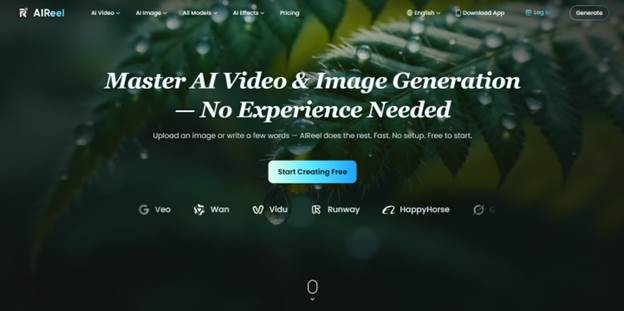
Key Features:
- AI video and image generation in one workflow: Users can create or enhance both visuals and videos without constantly switching platforms.
- Text-to-video support: Beginners can start with a written idea or prompt and turn it into a short video.
- Image-to-video support: Users can upload existing photos, product images, or artwork and transform them into dynamic video content.
- 20+ AI models in one platform: Creators can explore different visual styles and generation options without relying on multiple tools.
- Smart model routing for easier model selection: AIReel can recommend or automatically select a suitable video model based on the prompt, helping reduce confusion, trial and error, and model-choice anxiety.
- 1000+ AI effects: Beginners can add creative styles and visual enhancements without needing advanced editing skills.
For anyone looking for an AI short video generator or comparing options for the best AI video generator, this kind of all-in-one workflow can make the first few projects easier to start, manage, and refine.
Part 3: How to Create Short Videos with AI in a Few Simple Steps
Many beginners assume AI video creation is complicated, but the process is often straightforward.
Step 1: Start With a Clear Idea
Every video begins with a concept.
Your idea does not need to be complex. It could be:
- A product demonstration
- A travel story
- A motivational message
- A social media tip
- A short educational explanation
The clearer your idea, the better the AI can interpret your instructions.
Step 2: Write a Basic Prompt or Script
Most AI video tools rely on prompts. For example, instead of writing:
“Make a travel video.”
You could write:
“Create a 20-second cinematic video showing beautiful mountain landscapes during sunrise with smooth camera movement.”
Specific prompts often produce more accurate and visually appealing results.
Step 3: Choose Text-to-Video or Image-to-Video
Depending on your project, you may choose different starting points.Text-to-video works well when you only have an idea or script.
Image-to-video is useful when you already have photos, illustrations, product images, or artwork that you want to animate.Selecting the right format helps create a smoother production process.
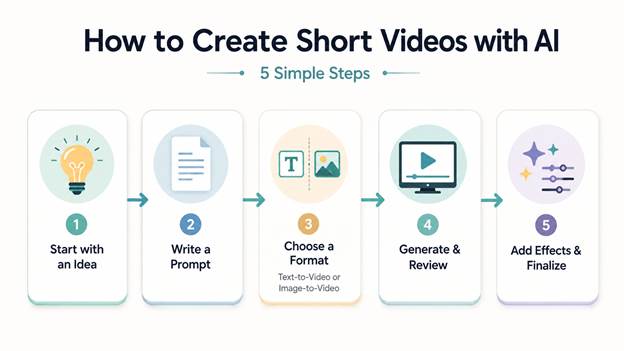
Step 4: Generate and Review the Video
Once the prompt is ready, AI generates the initial version of the video.Review the results carefully and look for areas that can be improved, such as:
- Scene consistency
- Motion quality
- Visual style
- Timing
- Overall storytelling
Most AI tools allow multiple generations, making it easy to refine results.
Step 5: Add Effects and Final Adjustments
The final stage involves enhancing the content.
This may include:
- Visual effects
- Style enhancements
- Transitions
- Motion improvements
- Branding elements
These adjustments help create a more polished final video ready for publishing.
Part 4: Tips for Getting Better Results as an AI Video Beginner
The quality of AI-generated videos often improves when creators follow a few simple best practices.
Be Specific With Your Instructions
Detailed prompts generally produce stronger results than vague descriptions.
Mention elements such as:
- Subject
- Environment
- Lighting
- Camera movement
- Visual style
The more context the AI receives, the better it can understand your vision.
Keep Videos Focused
Short videos usually perform best when they communicate one idea clearly.Trying to include too many messages within a brief video can reduce effectiveness and confuse viewers.
Experiment With Different Styles
AI tools make experimentation easy.
Creators can explore:
- Cinematic styles
- Animation effects
- Product showcases
- Social media visuals
- Educational content
Testing different approaches helps identify what resonates most with an audience.
Learn Through Repetition
AI video creation improves with practice.Each project teaches creators how prompts influence results, which styles work best, and how to achieve more consistent outputs.Even beginners can quickly develop strong content creation skills by experimenting regularly.
Conclusion
The rise of AI video for beginners has made content creation more accessible than ever before. People no longer need professional editing experience or expensive production equipment to create engaging short-form videos.With modern AI tools, anyone can create short videos with AI by starting with a simple idea, writing a prompt, and refining the results.
Platforms such as AIReel further simplify the experience by combining video generation, image creation, image-to-video capabilities, multiple AI models, smart model selection, and creative effects within a single workflow.