From Live to Offline: How to Download Facebook Live Videos Easily
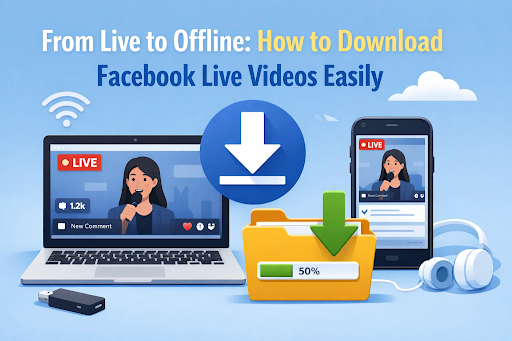
Facebook Live has become a powerful way for individuals, creators, and businesses to broadcast events in real time. From live concerts and webinars to personal milestones and breaking news, Facebook Live videos often capture moments users want to revisit later. However, Live content isn’t always permanently available, and creators may remove videos after the broadcast ends. That’s why many users search for ways to download Facebook Live video content for offline viewing, archiving, or sharing.
In this guide, we’ll explain how to download Facebook Live video step by step, explore the best tools available, and answer common questions about legality, quality, and limitations.
1. Does Facebook Offer a Native Way to Download Live Videos?
Facebook’s official options for downloading Live videos are quite limited. If you are the original creator of a Facebook Live video, Facebook allows you to download your own broadcast from your account dashboard after the stream ends. However, this option is only available to the video owner.
For viewers, Facebook does not provide a built-in feature to download Facebook Live video from other users’ pages or profiles. Even for creators, the native download option may come with quality limitations or format restrictions.
Because of these limitations, users often rely on third-party tools to perform a Facebook Live download, especially when saving public Live videos or replays posted by other accounts.
2. Best Methods to Download Facebook Live Videos
There are several ways to download Facebook Live videos, each with its own pros and cons. Below are the most commonly used methods.
2.1 Online Facebook Live Video Downloader Tools
Online Facebook Live downloader websites allow users to paste the video URL and download the Live replay directly from a browser. These tools are popular because they require no installation and work across devices.
Pros:
- Easy to use
- No software installation required
- Works on most browsers
Cons:
- Frequent ads and pop-ups
- Inconsistent success with long or high-quality Lives
- Limited resolution options
Online tools are convenient for occasional use, but they may not be reliable if you regularly need to download Facebook Live video content.
2.2 Desktop Downloader Software (Recommended)
For users who want stability, high quality, and consistent results, desktop software is often the best solution. One reliable option is CleverGet Video Downloader.
This desktop tool supports downloading Facebook Live replays in higher resolutions and handles long-duration videos more effectively than online tools. It also offers faster download speeds and better format compatibility.
Key advantages include:
- High-quality video and audio downloads
- Support for long Facebook Live broadcasts
- Stable performance without ads
- Flexible format and resolution options
If you frequently search for how to download Facebook Live video content for professional or archival purposes, desktop software is the most reliable choice.
2.3 Mobile Apps for Facebook Live Downloads (Android & iOS)
Mobile apps designed for Facebook video downloads allow users to save Live videos directly to their smartphones. These apps are especially useful for users who primarily browse Facebook on mobile devices.
Benefits:
- Convenient for on-the-go downloads
- Simple interface for quick saving
Drawbacks:
- Requires extensive permissions
- Potential security and privacy risks
- Limited quality control
While mobile apps can help with a quick Facebook Live download, users should be cautious and choose reputable apps to avoid malware or data misuse.
2.4 Browser Extensions
Browser extensions can detect Facebook Live videos while browsing the Facebook website and provide a download button directly on the page.
Pros:
- Easy to activate
- Integrated into the browser
Cons:
- Limited compatibility with updated Facebook layouts
- May fail with private or long Live videos
- Inconsistent reliability
Extensions can work for basic needs but are not ideal if you regularly download Facebook Live video content.
2.5 Screen Recording as an Alternative
When direct downloads are not possible—such as during private streams or restricted content—screen recording is a practical fallback option.CleverGet Recorder allows users to record Facebook Live videos in real time.
Screen recording works universally, meaning you can capture almost any Live stream regardless of restrictions.
Things to consider:
- Quality depends on screen resolution and system performance
- Background notifications should be disabled
- Recording requires the stream to play fully
Although recording may not match the quality of direct downloads, it remains a dependable method when other options fail.
3. How to Save Facebook Live Videos After the Broadcast Ends
In most cases, it is easier to download Facebook Live video content after the broadcast has ended. Once the Live stream finishes, Facebook processes it into a replay, which can then be detected by downloader tools.
Best practices include:
- Wait until the Live video is fully processed
- Use the replay URL instead of the Live stream URL
- Choose higher-quality settings if available
Downloading replays is generally more stable and produces better results than attempting to save a video while it is still live.
4. Frequently Asked Questions
Q1: Can Facebook detect or restrict Live video downloads?
Facebook can limit access to private or restricted content, but public Live video downloads usually depend on the visibility settings set by the uploader.
Q2: Is it legal to download Facebook Live videos?
Downloading Facebook Live videos for personal use is generally acceptable, but redistributing or reuploading content without permission may violate copyright laws. Always respect content ownership.
Q3: Can Facebook Live videos be saved while the stream is still ongoing?
Some tools allow recording during a live stream, but direct downloading typically works best after the broadcast ends.
Q4: Why does the downloaded Live video sometimes appear in lower quality?
Lower quality can result from the original stream resolution, tool limitations, or network conditions during recording or downloading.
Conclusion
Facebook Live videos capture valuable moments, but they aren’t always guaranteed to stay online forever. Whether you want to archive important broadcasts or simply watch later, knowing how to download a Facebook Live video gives you control over your content.
From online tools and mobile apps to desktop software and screen recording solutions, there are multiple ways to perform a reliable Facebook Live download. Choosing the right method depends on your quality expectations, frequency of use, and device preferences. With the right approach, you can easily take Facebook Live videos from live streams to offline viewing—securely and conveniently.