How Kling Image Generation Transforms Your Creative Workflow
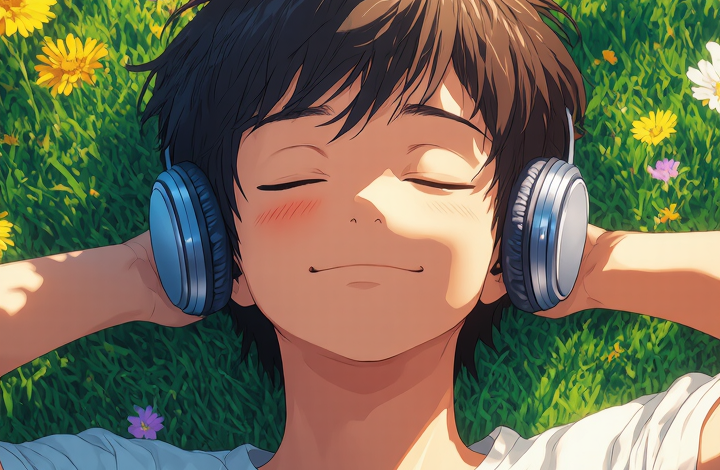
The way we create visual content has changed dramatically over the past few years. What once required hours of design work, expensive software, and professional expertise can now be accomplished in seconds with the right AI tool. Kling image generation sits at the forefront of this shift, offering a platform that translates written descriptions into high-quality, visually compelling images with remarkable accuracy.
Whether you’re a content creator looking to produce eye-catching visuals for social media, a marketer building campaign assets on a tight deadline, or a developer exploring the boundaries of generative AI, the ability to generate images from text opens up a world of creative possibilities. The demand for fast, scalable, and customizable visual content has never been higher, and AI-powered image generation tools are meeting that demand head-on.
This guide explores what makes AI image generation a compelling choice for modern creators, who stands to benefit most from it, how to get started, and where it fits into real-world creative workflows.
What Makes Kling Image Generation Stand Out
Not all AI image generators are built the same. The difference between a tool that produces generic, forgettable outputs and one that delivers precise, usable visuals comes down to the underlying model, the interface design, and the level of control offered to the user. Understanding what separates capable platforms from the rest helps you make better decisions about where to invest your time and creative energy.
Advanced Text-to-Image Capabilities
At its core, AI image generation works by interpreting natural language prompts and converting them into detailed visual outputs. Unlike earlier generation tools that often produced generic or distorted results, modern systems have learned to understand context, style, and composition at a much deeper level.
When you type a description — whether it’s a serene mountain landscape at dusk, a futuristic cityscape, or a product mockup with specific lighting — the system processes the semantic meaning of your words and generates an image that reflects your intent. The more specific your prompt, the more tailored the result. This makes the technology accessible to beginners while still offering depth for experienced users who want precise control over their outputs. The gap between what you describe and what appears on screen has narrowed considerably, making the creative process feel genuinely responsive.
Precision and Style Control
One of the defining features of advanced AI image generation is the ability to guide the visual style of the output. Users can specify artistic styles, color palettes, lighting conditions, and compositional elements directly within their prompts. This level of control means you’re not just generating random images — you’re directing a creative process with intention.
For professionals, this translates into consistent brand visuals, on-theme illustrations, and rapid prototyping of design concepts. For hobbyists and creatives, it means experimenting with styles and aesthetics that would otherwise require years of technical skill to achieve manually. The result is a tool that scales with your ambition, whether you’re producing a single image or building an entire visual library.
Who Benefits Most from AI Image Generation
Content creators, marketers, and product teams are among the most frequent users of AI image generation tools. For content creators, the ability to produce unique, high-quality visuals without relying on stock photo libraries or hiring photographers is a significant advantage. Social media posts, blog headers, and video thumbnails can all be generated quickly and customized to match a specific tone or theme, keeping output consistent without slowing down the publishing schedule.
Marketers benefit from the speed and scalability that AI image generation provides. Campaign assets that once took days to produce can now be ready in minutes, allowing teams to test multiple visual concepts simultaneously and iterate based on performance data. This agility is particularly valuable in fast-moving industries where timing matters and creative flexibility is a competitive edge.
Developers and AI enthusiasts also find value in exploring the technical capabilities of image generation platforms. Understanding how different prompts affect outputs, testing the limits of the model, and integrating image generation into larger workflows are all areas where hands-on experimentation pays off. The ability to call generation APIs programmatically opens up possibilities for automation and product integration that go well beyond manual use.
Small business owners represent another growing segment. Without the budget for a full design team, many rely on AI tools to create professional-looking visuals for their websites, social media, and marketing materials. The accessibility of platforms like Kling AI makes high-quality image creation available to anyone with an idea and a few words to describe it, leveling the playing field in a meaningful way.
How to Get Started with Kling Image Generation
The barrier to entry for AI image generation is lower than most people expect. You don’t need design experience, technical knowledge, or specialized hardware. What you do need is a clear idea of what you want to create and a willingness to experiment with how you describe it.
Setting Up Your First Project
Getting started is straightforward. Begin by visiting the platform and creating an account if you haven’t already. Once you’re in, you’ll find a text input field where you can enter your image prompt. Start with a clear, descriptive sentence that captures the main subject, setting, and mood of the image you want to create.
For example, instead of typing “a dog,” try “a golden retriever sitting in a sunlit park, surrounded by autumn leaves, photorealistic style.” The additional context gives the AI more to work with and results in a more accurate, visually interesting output. After submitting your prompt, the system will generate one or more image options for you to review, download, or refine. Most platforms also offer settings for image dimensions, aspect ratios, and style presets — exploring these options early on helps you understand the full range of outputs available.
Tips for Better Results
Improving your results with AI image generation comes down to prompt quality and iteration. A few practical approaches make a consistent difference.
- Be specific about style. If you want a watercolor illustration, say so. If you want a cinematic photograph, include that detail. Style descriptors have a significant impact on the final output.
- Use reference points. Mentioning well-known artistic styles, lighting techniques, or compositional approaches — such as “golden hour lighting” or “low-angle perspective” — helps the AI understand the aesthetic you’re aiming for.
- Iterate and refine. Your first prompt rarely produces the perfect image. Treat the process as a conversation: adjust your description based on what the AI generates and keep refining until you get the result you want.
- Avoid vague language. Words like “nice” or “interesting” don’t give the AI useful direction. Replace them with concrete descriptors that paint a clear picture of what you’re envisioning.
The more you use the tool, the better your intuition for effective prompting becomes. Most experienced users find that their results improve significantly within the first few sessions simply through trial and observation.
Real-World Applications of AI Image Generation
The practical applications of AI image generation extend across industries and use cases in ways that continue to expand. In e-commerce, product teams use AI-generated images to create lifestyle shots, background variations, and promotional visuals without the cost of a full photo shoot. A single product can be shown in dozens of different settings and contexts, giving customers a richer sense of how it fits into their lives and reducing the friction between browsing and buying.
In publishing and media, editors and writers use AI image generation to create custom illustrations for articles, blog posts, and digital publications. Rather than searching through stock libraries for an image that only partially fits the story, they can generate something that matches the content precisely — saving time and producing more cohesive visual storytelling.
Education is another area where AI image generation is making a measurable impact. Teachers and instructional designers use it to create visual aids, diagrams, and scenario illustrations that make complex concepts easier to understand. The ability to generate custom visuals on demand reduces the time spent searching for appropriate images and increases the relevance of the material to the specific lesson or audience.
For those working in branding and identity design, AI image generation serves as a rapid ideation tool. Concepts that would take hours to sketch and refine manually can be explored in minutes, allowing designers to present a wider range of options to clients and stakeholders. Kling AI supports this kind of exploratory creative work by offering a responsive interface that keeps the focus on ideas rather than technical execution, making it a practical addition to any design workflow.
Bringing Your Visual Ideas to Life with AI
AI image generation has moved from a novelty to a practical tool that professionals across industries rely on every day. The ability to translate a written idea into a polished visual in seconds is not just a convenience — it’s a fundamental shift in how creative work gets done, and it’s accessible to anyone willing to learn the basics of effective prompting.
Whether you’re producing content at scale, exploring new design concepts, or simply looking for a faster way to bring your ideas to life, AI image generation offers a level of accessibility and creative freedom that was previously out of reach for most people. The key is learning how to communicate effectively with the AI — crafting prompts that are specific, descriptive, and intentional.
As the technology continues to evolve, the gap between what you can imagine and what you can create will keep narrowing. Starting with a capable platform and developing your prompting skills is the best way to stay ahead of that curve and make the most of what AI image generation has to offer.