OpenAI-Compatible AI APIs: Write Once, Swap Models Freely
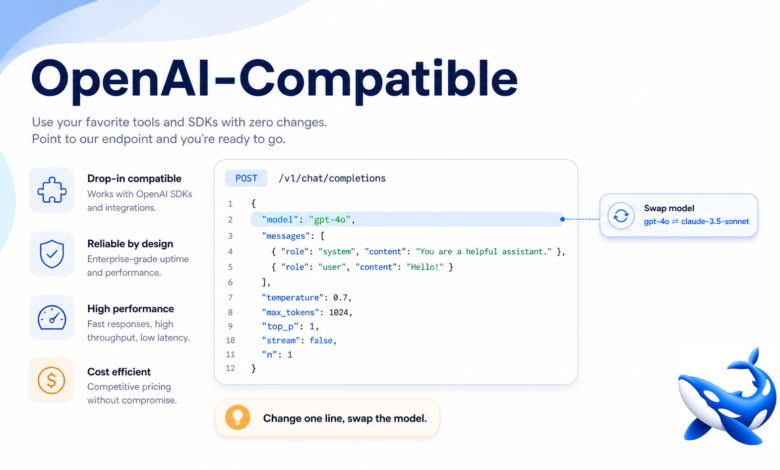
There’s an unglamorous feature that quietly determines how much pain you’ll feel as the AI market evolves: whether your AI API speaks the OpenAI chat-completions format. It’s not the most exciting spec to talk about, but “OpenAI-compatible” is arguably the single most valuable property an AI API can have, because it decides whether switching models is a one-line change or a rewrite.
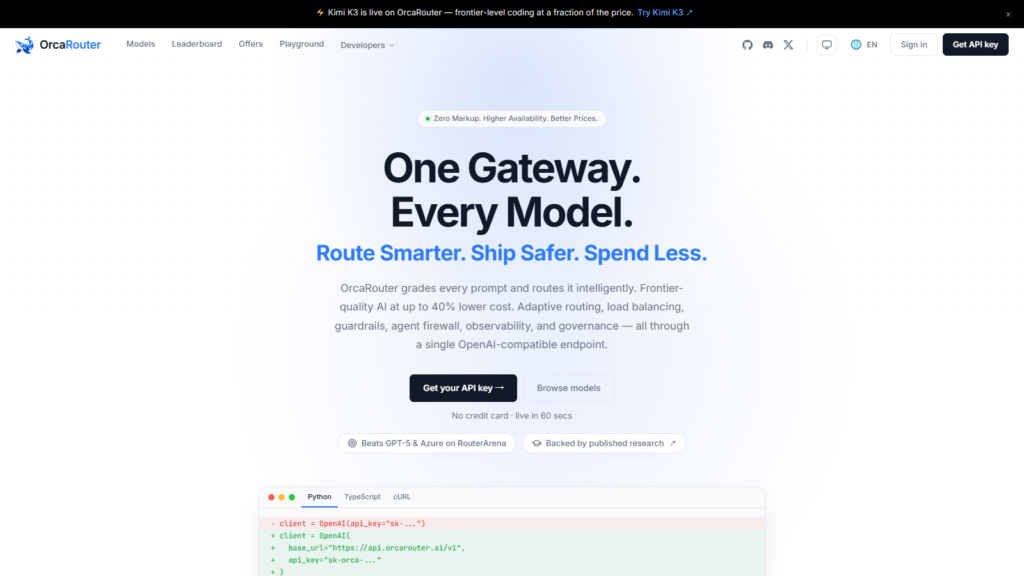
A concrete example makes it click: OrcaRouter is OpenAI-compatible and fronts a broad model catalog behind one endpoint, so you can point existing client code at several models and watch how little has to change to switch between them. That property is exactly what you want from an AI API, and it is what the rest of this guide unpacks.
What “OpenAI-compatible” actually means
When OpenAI popularized its chat-completions API, its request and response shape — a list of messages, a model name, options like temperature and max tokens, and a structured response with token usage — became a de facto standard. “OpenAI-compatible” means a provider accepts requests in that same shape and returns responses in that same structure. Practically, it means the official OpenAI client libraries (and the countless tools built on them) work against that provider by changing just the base URL and the model name.
Why it’s the portability that matters
The AI market changes constantly: new models leapfrog each other, prices drop, and the best choice for a task shifts month to month. If your code is written against a proprietary, non-standard API, every one of those changes is a migration project. If it’s written against the OpenAI-compatible standard, those changes are configuration. You keep your request-building code, your streaming handling, your JSON parsing, your tool-calling schema — and you point them at a different model. That portability is what lets you chase better and cheaper models instead of being stuck with whatever you integrated first.
Compatibility plus aggregation: the strong combination
OpenAI-compatibility is even more powerful when paired with a unified endpoint. An aggregator that is OpenAI-compatible lets you reach many models — from many vendors, open and closed — all through the standard format. You integrate once, and every model in the catalog is a model-name string away. This is the setup that makes model routing (cheap by default, frontier on escalation) trivial to build, because both the routing and the switching are just changes to which model name you pass.
What to verify
Not all “compatible” claims are equal. Before relying on it, check that the endpoint supports the features you use: streaming, tool/function calling, structured (JSON) outputs, and system messages, in the compatible format. Confirm that error responses and token-usage fields match what your client expects. And test with your actual client library, not just curl, so you know your real code path works. Compatibility that covers 90% of the format but breaks on the feature you depend on isn’t compatibility you can build on.
A quick migration story
Picture an app hardwired to one vendor’s proprietary SDK. A cheaper model launches elsewhere that would cut costs in half. With the proprietary integration, capturing that saving means a sprint: new SDK, reworked requests, re-tested parsing, redeploy. With an OpenAI-compatible setup, it’s an afternoon at most — often just changing a config value and running your eval harness. Multiply that across a year of model churn and the compatible approach saves weeks of engineering while letting you always run the best-value model.
A minimal switch example
To see why OpenAI-compatibility matters, consider what changes when you switch models on a compatible endpoint. Your client initialization points at a base URL and uses your API key. Your request passes a messages array, a model name, and options. Your code reads the response’s choices and usage fields. To move from one model to another, you change exactly one thing: the model name string. Everything else — the client, the request builder, the streaming handler, the JSON parser — stays identical, because the format is the same across models.
Contrast that with a proprietary API, where switching means learning a new client library, rebuilding the request in a different shape, re-handling a different response structure, and re-testing the whole path. The compatible version is minutes; the proprietary version is a sprint. This is also what makes automated routing feasible: a dispatch function can choose the model name per request and the rest of the code is none the wiser. When you’re evaluating whether an endpoint is “really” compatible, this is the test — can you switch models by changing only the model string, with your existing client and no other edits? If yes, you have the portability that keeps you free to chase better and cheaper models for as long as the market keeps moving.
Frequently asked questions
What does OpenAI-compatible mean? The API accepts requests and returns responses in the same shape as OpenAI’s chat-completions API, so OpenAI client libraries work by changing the base URL and model name.
Why does it matter? It makes your code portable, so switching models or providers is configuration rather than a rewrite — crucial in a fast-moving market.
Do I have to use OpenAI’s models to use the format? No — many providers and aggregators support the format for their own and third-party models.
What should I check before relying on it? That streaming, tool calling, structured outputs, and error/usage fields all work in the compatible format with your actual client library.
How does it help with cost? It lets you move to a cheaper model whenever one appears, without engineering overhead — so you capture savings fast.
Bottom line
OpenAI-compatibility isn’t a flashy feature, but it’s the one that keeps you free. It turns model switching from a rewrite into a config change, which is exactly what you want in a market that reprices and re-ranks models every month. Choose an OpenAI-compatible AI API — ideally one that also aggregates many models — verify it supports the features you actually use, and you’ll be able to write once and swap models freely for years.